Footstep Sound
Paula plays a short sample when the creature walks. Four registers control audio: sample address, length, period, and volume. A timer spaces footsteps apart so they sound like steps, not a buzz.
The creature walks and falls, but the world is silent. The Amiga has a dedicated audio chip — Paula — with four independent DMA channels that play digital samples. In this unit, we use one channel to play a short click each time the creature takes a step.
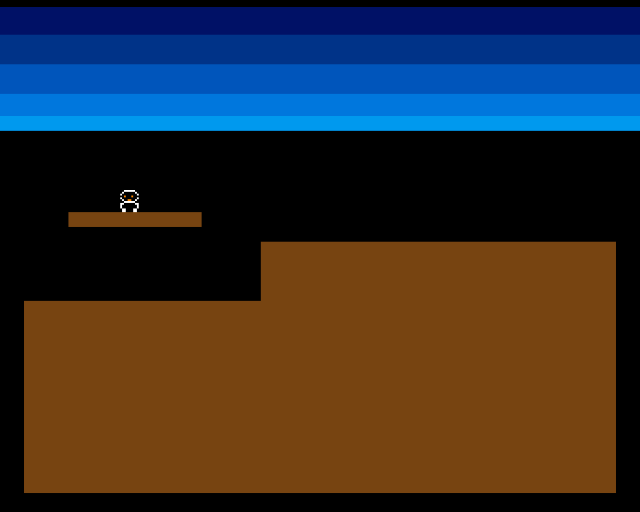
The screenshot looks identical to Unit 8 — the change is entirely audible. Run the program and you’ll hear a soft click with each footstep. The creature’s world has sound.
Paula: The Audio Chip
Paula has four hardware channels, each capable of playing a sample from Chip RAM with no CPU involvement. Like the Copper and the sprite engine, Paula uses DMA — you set up the registers and the hardware does the rest.
Each channel needs four values:
| Register | Purpose |
|---|---|
AUD0LC ($DFF0A0) | Sample address in Chip RAM |
AUD0LEN ($DFF0A4) | Sample length in words (not bytes) |
AUD0PER ($DFF0A6) | Period — lower = higher pitch |
AUD0VOL ($DFF0A8) | Volume — 0 (silent) to 64 (maximum) |
These are for channel 0. Channels 1-3 use the same pattern at offsets $0B0, $0C0, $0D0.
Playing a Sample
To trigger a sound, write the four registers and enable audio DMA:
;──────────────────────────────────────────────────────────────
; play_step — Trigger the footstep sample on Paula channel 0
;──────────────────────────────────────────────────────────────
play_step:
            lea     CUSTOM,a6
            lea     step_sample,a0
            move.l  a0,AUD0LC(a6)           ; Sample address
            move.w  #STEP_SAMPLE_LEN/2,AUD0LEN(a6)  ; Length in words
            move.w  #STEP_PERIOD,AUD0PER(a6)         ; Pitch
            move.w  #STEP_VOLUME,AUD0VOL(a6)         ; Volume (0-64)
            move.w  #$8201,DMACON(a6)       ; Enable audio DMA ch0
            rts
AUD0LC takes the address of the sample data. AUD0LEN takes the length in words — so a 32-byte sample is 16 words. AUD0PER controls the pitch: 400 gives a low click, 200 would be higher. AUD0VOL is the volume from 0 to 64.
The final DMACON write enables audio DMA for channel 0. Bit 9 is the SET flag (so values are OR’d in, not replaced), bit 0 is channel 0. Paula starts reading the sample immediately.
The Sample Data
The footstep is a tiny waveform — 32 bytes of hand-crafted data that produces a short click:
            even
step_sample:
            dc.b    $60,$40,$20,$10,$08,$04,$02,$01
            dc.b    $fe,$fc,$f8,$f0,$e0,$d0,$c0,$b0
            dc.b    $50,$30,$18,$0c,$06,$03,$01,$00
            dc.b    $ff,$fd,$fa,$f4,$e8,$d8,$c8,$b8
STEP_SAMPLE_LEN equ *-step_sample
Paula plays 8-bit signed samples. Values above $7F are negative (two’s complement). The waveform spikes up, drops sharply negative, then decays — a percussive click. At 32 bytes, it plays in under a millisecond.
STEP_SAMPLE_LEN equ *-step_sample calculates the length automatically — * is the current address, so *-step_sample is the number of bytes between here and the label.
Step Timing
Without timing, the footstep would trigger every single frame — 50 clicks per second, which sounds like a buzz. A timer spaces the sounds out:
;──────────────────────────────────────────────────────────────
; try_footstep — Play footstep if enough frames have passed
;──────────────────────────────────────────────────────────────
try_footstep:
            move.w  step_timer,d0
            subq.w  #1,d0
            bgt.s   .not_yet

            ; Time to play a step
            bsr     play_step
            move.w  #STEP_INTERVAL,step_timer
            rts

.not_yet:
            move.w  d0,step_timer
            rts
step_timer counts down each frame. When it reaches zero, the sample plays and the timer resets to STEP_INTERVAL (8 frames). At 50fps, that’s roughly 6 steps per second — a brisk walking pace.
The timer only counts down when the creature actually moves forward. During falling, try_footstep isn’t called, so the creature falls silently.
DMA: The Common Thread
This is now the fourth DMA subsystem we’ve enabled:
| Subsystem | DMACON Bit | Purpose |
|---|---|---|
| Copper | Bit 7 | Display coprocessor |
| Bitplane | Bit 8 | Graphics data |
| Sprite | Bit 5 | Hardware sprites |
| Audio | Bit 0 | Sample playback |
The DMACON write in start is now $83A1 — adding bit 0 for audio channel 0. Each subsystem runs independently once enabled. The CPU just sets up the data and lets the hardware work.
Experiment: Change the Sound
STEP_PERIOD equ 200 ; Higher pitch — tap soundA lower period means a higher frequency. At 200, the click sounds more like a tap. Try 600 for a deep thud.
STEP_VOLUME equ 64 ; Maximum volumeVolume 64 is the loudest Paula can go. At 48 (our default), the footstep sits in the background. Try 20 for barely audible steps.
STEP_INTERVAL equ 4 ; Faster stepsAt 4 frames between steps, the creature sounds like it’s running. At 16, it sounds like a slow, heavy walk.
The Complete Code
;──────────────────────────────────────────────────────────────
; EXODUS - A terrain puzzle for the Commodore Amiga
; Unit 9: Footstep Sound
;
; Paula plays a short click sample when the creature walks.
; One audio channel, triggered each time the creature steps.
;──────────────────────────────────────────────────────────────

;══════════════════════════════════════════════════════════════
; TWEAKABLE VALUES
;══════════════════════════════════════════════════════════════

COLOUR_SKY_DEEP     equ $0016
COLOUR_SKY_UPPER    equ $0038
COLOUR_SKY_MID      equ $005B
COLOUR_SKY_LOWER    equ $007D
COLOUR_SKY_HORIZON  equ $009E

COLOUR_TERRAIN      equ $0741

COLOUR_SPR0_1       equ $0FFF
COLOUR_SPR0_2       equ $0F80
COLOUR_SPR0_3       equ $0000

CREATURE_START_X    equ 80
CREATURE_START_Y    equ 92
CREATURE_SPEED      equ 1
FALL_SPEED          equ 2

FOOT_OFFSET_X       equ 8
FOOT_OFFSET_Y       equ 12

STEP_PERIOD         equ 400         ; Paula period (pitch)
STEP_VOLUME         equ 48          ; Volume (0-64)

; Terrain
GROUND_L_X          equ 0
GROUND_L_Y          equ 152
GROUND_L_W          equ 128
GROUND_L_H          equ 104

GROUND_R_X          equ 128
GROUND_R_Y          equ 120
GROUND_R_W          equ 192
GROUND_R_H          equ 136

PLATFORM_X          equ 24
PLATFORM_Y          equ 104
PLATFORM_W          equ 72
PLATFORM_H          equ 8

;══════════════════════════════════════════════════════════════
; DISPLAY CONSTANTS
;══════════════════════════════════════════════════════════════

SCREEN_WIDTH    equ 320
SCREEN_HEIGHT   equ 256
BYTES_PER_ROW   equ SCREEN_WIDTH/8
BITPLANE_SIZE   equ BYTES_PER_ROW*SCREEN_HEIGHT

SPRITE_HEIGHT   equ 12

; Creature states
STATE_WALKING   equ 0
STATE_FALLING   equ 1

; Step timing
STEP_INTERVAL   equ 8              ; Frames between footsteps

;══════════════════════════════════════════════════════════════
; HARDWARE REGISTERS
;══════════════════════════════════════════════════════════════

CUSTOM      equ $dff000
DMACON      equ $096
INTENA      equ $09a
INTREQ      equ $09c
COP1LC      equ $080
COPJMP1     equ $088
BPLCON0     equ $100
BPLCON1     equ $102
BPLCON2     equ $104
BPL1MOD     equ $108
DIWSTRT     equ $08e
DIWSTOP     equ $090
DDFSTRT     equ $092
DDFSTOP     equ $094
BPL1PTH     equ $0e0
BPL1PTL     equ $0e2
SPR0PTH     equ $120
SPR0PTL     equ $122
COLOR00     equ $180
COLOR01     equ $182
COLOR17     equ $1a2
COLOR18     equ $1a4
COLOR19     equ $1a6
VPOSR       equ $004

; Paula audio registers (channel 0)
AUD0LC      equ $0a0
AUD0LEN     equ $0a4
AUD0PER     equ $0a6
AUD0VOL     equ $0a8

;══════════════════════════════════════════════════════════════
; CODE (Chip RAM)
;══════════════════════════════════════════════════════════════

            section code,code_c

start:
            lea     CUSTOM,a5

            move.w  #$7fff,INTENA(a5)
            move.w  #$7fff,INTREQ(a5)
            move.w  #$7fff,DMACON(a5)

            ; --- Initialise creature ---
            move.w  #CREATURE_START_X,creature_x
            move.w  #CREATURE_START_Y,creature_y
            move.w  #CREATURE_SPEED,creature_dx
            move.w  #STATE_WALKING,creature_state
            move.w  #0,step_timer

            ; --- Draw terrain ---
            move.w  #GROUND_L_X,d0
            move.w  #GROUND_L_Y,d1
            move.w  #GROUND_L_W,d2
            move.w  #GROUND_L_H,d3
            bsr     draw_rect

            move.w  #GROUND_R_X,d0
            move.w  #GROUND_R_Y,d1
            move.w  #GROUND_R_W,d2
            move.w  #GROUND_R_H,d3
            bsr     draw_rect

            move.w  #PLATFORM_X,d0
            move.w  #PLATFORM_Y,d1
            move.w  #PLATFORM_W,d2
            move.w  #PLATFORM_H,d3
            bsr     draw_rect

            ; --- Patch bitplane pointer ---
            lea     bitplane,a0
            move.l  a0,d0
            swap    d0
            lea     bpl1pth_val,a1
            move.w  d0,(a1)
            swap    d0
            lea     bpl1ptl_val,a1
            move.w  d0,(a1)

            ; --- Patch sprite pointer ---
            lea     sprite_data,a0
            move.l  a0,d0
            swap    d0
            lea     spr0pth_val,a1
            move.w  d0,(a1)
            swap    d0
            lea     spr0ptl_val,a1
            move.w  d0,(a1)

            ; --- Install Copper list ---
            lea     copperlist,a0
            move.l  a0,COP1LC(a5)
            move.w  d0,COPJMP1(a5)

            ; --- Enable DMA (Copper + bitplane + sprites + audio) ---
            move.w  #$83a1,DMACON(a5)

            ; === Main Loop ===
mainloop:
            move.l  #$1ff00,d1
.vbwait:
            move.l  VPOSR(a5),d0
            and.l   d1,d0
            bne.s   .vbwait

            ; --- Check state and update ---
            move.w  creature_state,d0
            cmp.w   #STATE_FALLING,d0
            beq     .do_fall

            ; --- Walking: check floor ahead ---
.do_walk:
            move.w  creature_x,d0
            add.w   creature_dx,d0
            add.w   #FOOT_OFFSET_X,d0
            move.w  creature_y,d1
            add.w   #FOOT_OFFSET_Y,d1
            bsr     check_pixel

            tst.b   d0
            beq.s   .walk_no_floor

            ; Floor exists — move forward
            move.w  creature_x,d0
            add.w   creature_dx,d0
            move.w  d0,creature_x

            ; Play footstep sound
            bsr     try_footstep

            ; Also check if we're standing on something
            move.w  creature_x,d0
            add.w   #FOOT_OFFSET_X,d0
            move.w  creature_y,d1
            add.w   #FOOT_OFFSET_Y,d1
            bsr     check_pixel

            tst.b   d0
            bne.s   .done_move
            move.w  #STATE_FALLING,creature_state
            bra.s   .done_move

.walk_no_floor:
            neg.w   creature_dx
            bra.s   .done_move

            ; --- Falling: descend until floor found ---
.do_fall:
            move.w  creature_y,d0
            add.w   #FALL_SPEED,d0

            cmp.w   #SCREEN_HEIGHT-SPRITE_HEIGHT,d0
            blt.s   .fall_ok
            move.w  #SCREEN_HEIGHT-SPRITE_HEIGHT,d0
            move.w  d0,creature_y
            move.w  #STATE_WALKING,creature_state
            bra.s   .done_move

.fall_ok:
            move.w  d0,creature_y

            move.w  creature_x,d0
            add.w   #FOOT_OFFSET_X,d0
            move.w  creature_y,d1
            add.w   #FOOT_OFFSET_Y,d1
            bsr     check_pixel

            tst.b   d0
            beq.s   .done_move

            move.w  #STATE_WALKING,creature_state

.done_move:
            bsr     update_sprite

            btst    #6,$bfe001
            bne     mainloop

.halt:
            bra.s   .halt

;──────────────────────────────────────────────────────────────
; try_footstep — Play footstep if enough frames have passed
;──────────────────────────────────────────────────────────────
try_footstep:
            move.w  step_timer,d0
            subq.w  #1,d0
            bgt.s   .not_yet

            ; Time to play a step
            bsr     play_step
            move.w  #STEP_INTERVAL,step_timer
            rts

.not_yet:
            move.w  d0,step_timer
            rts

;──────────────────────────────────────────────────────────────
; play_step — Trigger the footstep sample on Paula channel 0
;──────────────────────────────────────────────────────────────
play_step:
            lea     CUSTOM,a6
            lea     step_sample,a0
            move.l  a0,AUD0LC(a6)
            move.w  #STEP_SAMPLE_LEN/2,AUD0LEN(a6)
            move.w  #STEP_PERIOD,AUD0PER(a6)
            move.w  #STEP_VOLUME,AUD0VOL(a6)
            move.w  #$8201,DMACON(a6)       ; Enable audio DMA ch0
            rts

;──────────────────────────────────────────────────────────────
; check_pixel — Test a single pixel in the bitplane
;──────────────────────────────────────────────────────────────
check_pixel:
            lea     bitplane,a0
            mulu    #BYTES_PER_ROW,d1
            add.l   d1,a0
            move.w  d0,d2
            lsr.w   #3,d2
            add.w   d2,a0
            not.w   d0
            and.w   #7,d0
            btst    d0,(a0)
            sne     d0
            and.b   #1,d0
            rts

;──────────────────────────────────────────────────────────────
; update_sprite — Write current position into sprite data
;──────────────────────────────────────────────────────────────
update_sprite:
            lea     sprite_data,a0

            move.w  creature_y,d0
            add.w   #$2c,d0
            move.w  d0,d1
            add.w   #SPRITE_HEIGHT,d1

            move.w  creature_x,d2
            add.w   #$80,d2

            move.b  d0,d3
            lsl.w   #8,d3
            move.w  d2,d4
            lsr.w   #1,d4
            or.b    d4,d3
            move.w  d3,(a0)+

            move.b  d1,d3
            lsl.w   #8,d3
            moveq   #0,d4
            btst    #8,d0
            beq.s   .no_vs8
            bset    #2,d4
.no_vs8:
            btst    #8,d1
            beq.s   .no_ve8
            bset    #1,d4
.no_ve8:
            btst    #0,d2
            beq.s   .no_h0
            bset    #0,d4
.no_h0:
            or.b    d4,d3
            move.w  d3,(a0)

            rts

;──────────────────────────────────────────────────────────────
; draw_rect — Fill a byte-aligned rectangle in the bitplane
;──────────────────────────────────────────────────────────────
draw_rect:
            lea     bitplane,a0
            mulu    #BYTES_PER_ROW,d1
            add.l   d1,a0
            lsr.w   #3,d0
            add.w   d0,a0
            lsr.w   #3,d2

            subq.w  #1,d3
.row:
            move.w  d2,d5
            subq.w  #1,d5
            move.l  a0,a1
.col:
            move.b  #$ff,(a1)+
            dbra    d5,.col

            add.w   #BYTES_PER_ROW,a0
            dbra    d3,.row
            rts

;══════════════════════════════════════════════════════════════
; COPPER LIST
;══════════════════════════════════════════════════════════════

copperlist:
            dc.w    DIWSTRT,$2c81
            dc.w    DIWSTOP,$2cc1
            dc.w    DDFSTRT,$0038
            dc.w    DDFSTOP,$00d0

            dc.w    BPLCON0,$1200
            dc.w    BPLCON1,$0000
            dc.w    BPLCON2,$0000
            dc.w    BPL1MOD,$0000

            dc.w    BPL1PTH
bpl1pth_val:
            dc.w    $0000
            dc.w    BPL1PTL
bpl1ptl_val:
            dc.w    $0000

            dc.w    SPR0PTH
spr0pth_val:
            dc.w    $0000
            dc.w    SPR0PTL
spr0ptl_val:
            dc.w    $0000

            dc.w    COLOR00,COLOUR_SKY_DEEP
            dc.w    COLOR01,COLOUR_TERRAIN
            dc.w    COLOR17,COLOUR_SPR0_1
            dc.w    COLOR18,COLOUR_SPR0_2
            dc.w    COLOR19,COLOUR_SPR0_3

            dc.w    $3401,$fffe
            dc.w    COLOR00,COLOUR_SKY_UPPER
            dc.w    $4401,$fffe
            dc.w    COLOR00,COLOUR_SKY_MID
            dc.w    $5401,$fffe
            dc.w    COLOR00,COLOUR_SKY_LOWER
            dc.w    $6001,$fffe
            dc.w    COLOR00,COLOUR_SKY_HORIZON
            dc.w    $6801,$fffe
            dc.w    COLOR00,$0000

            dc.w    $ffff,$fffe

;══════════════════════════════════════════════════════════════
; SPRITE DATA
;══════════════════════════════════════════════════════════════

            even
sprite_data:
            dc.w    $0000,$0000

            dc.w    %0000011111100000,%0000000000000000
            dc.w    %0000111111110000,%0000011111100000
            dc.w    %0001111111111000,%0000111111110000
            dc.w    %0001101110111000,%0001111111111000
            dc.w    %0001111111111000,%0000111111110000
            dc.w    %0000111001110000,%0000011111100000
            dc.w    %0000011111100000,%0000000000000000
            dc.w    %0001111111111000,%0000011111100000
            dc.w    %0001111111111000,%0000111111110000
            dc.w    %0001111111111000,%0000111111110000
            dc.w    %0000110000110000,%0000000000000000
            dc.w    %0000110000110000,%0000000000000000

            dc.w    $0000,$0000

;══════════════════════════════════════════════════════════════
; STEP SAMPLE — Short click waveform
;══════════════════════════════════════════════════════════════

            even
step_sample:
            dc.b    $60,$40,$20,$10,$08,$04,$02,$01
            dc.b    $fe,$fc,$f8,$f0,$e0,$d0,$c0,$b0
            dc.b    $50,$30,$18,$0c,$06,$03,$01,$00
            dc.b    $ff,$fd,$fa,$f4,$e8,$d8,$c8,$b8
STEP_SAMPLE_LEN equ *-step_sample

;══════════════════════════════════════════════════════════════
; VARIABLES
;══════════════════════════════════════════════════════════════

            even
creature_x:     dc.w    0
creature_y:     dc.w    0
creature_dx:    dc.w    0
creature_state: dc.w    0
step_timer:     dc.w    0

;══════════════════════════════════════════════════════════════
; BITPLANE DATA
;══════════════════════════════════════════════════════════════

            even
bitplane:
            dcb.b   BITPLANE_SIZE,0
If It Doesn’t Work
- No sound at all? Check that audio DMA is enabled. The DMACON write in
startmust include bit 0 (channel 0).$83A1enables Copper + bitplanes + sprites + audio ch0. - Constant buzzing? The step timer isn’t working. Make sure
try_footstepis only called when the creature walks (not during falling), and thatstep_timeris properly initialised to 0. - Sound is distorted? The sample might not be in Chip RAM. Paula can only read from the first 512K. The
section code,code_cdirective ensures everything is in Chip RAM. - Sound plays once then stops? Paula plays the sample once unless you retrigger it. Each call to
play_steprestarts the DMA, which replays the sample from the beginning.
What You’ve Learnt
- Paula — the Amiga’s audio chip. Four DMA channels that play 8-bit samples from Chip RAM independently of the CPU.
- Sample playback — set address, length (in words), period (pitch), and volume. Enable DMA and the hardware plays the sound.
- Inline sample data — small waveforms can be defined directly in the assembly source with
DC.B. The*-labelpattern calculates the length automatically. - Step timing — a countdown timer prevents sounds from triggering every frame. The interval controls the perceived pace.
- DMA everywhere — Copper, bitplanes, sprites, and now audio. The Amiga’s architecture is built on DMA — the CPU orchestrates, the hardware performs.
What’s Next
One creature is lonely. In Unit 10, we’ll add multiple creatures using a data table — each with its own position, direction, and state. A loop processes them all every frame.