Controller Input
Read the NES controller with the strobe-and-serial protocol. AND masks test individual buttons, BEQ branches on the result. The figure walks left and right.
The figure stood still. Now it moves.
The NES controller has eight buttons — A, B, Select, Start, Up, Down, Left, Right — but only one data pin. The CPU reads them one at a time through a serial protocol: pulse a strobe signal, then read $4016 eight times. Each read returns one button. This unit reads the controller and moves the player left and right — the first interaction in Dash.
How the Controller Works
The NES controller is a shift register. When you write 1 then 0 to $4016, the controller latches the current state of all eight buttons. Then each read from $4016 returns the next button as bit 0 of the byte.
The button order is fixed: A, B, Select, Start, Up, Down, Left, Right. Eight reads, eight buttons, always in this order.
Reading All Eight Buttons
    ; --- Read controller ---
    lda #1
    sta JOYPAD1             ; Strobe on: latch button states
    lda #0
    sta JOYPAD1             ; Strobe off: begin serial output

    ldx #8                  ; 8 buttons to read
@read_pad:
    lda JOYPAD1             ; Read next button (bit 0)
    lsr a                   ; Shift bit 0 into carry
    rol buttons             ; Roll carry into buttons byte
    dex
    bne @read_pad
The strobe is a two-write sequence: write 1 to $4016 (latch button states), then write 0 (begin serial output). After that, each LDA JOYPAD1 returns the next button.
Packing Bits with LSR and ROL
Each read from $4016 returns a full byte, but only bit 0 matters — 1 if the button is pressed, 0 if not. We need to collect all eight bits into a single byte.
LSR A (Logical Shift Right) shifts A right by one position. Bit 0 drops into the carry flag. Everything else about A is irrelevant — we only wanted that one bit.
ROL buttons (Rotate Left through carry) shifts the buttons byte left by one position, and the carry flag enters as the new bit 0. Each iteration pushes one more button into the byte.
After eight iterations, buttons contains all eight button states packed into one byte:
Bit:  7    6    5      4     3    2    1    0
      A    B    Sel    Sta   Up   Dn   L    R
A is read first and ends up in bit 7 (pushed left by the seven subsequent rotates). Right is read last and lands in bit 0.
Testing Individual Buttons
With all eight buttons in one byte, testing any button is a single AND:
    ; --- Move player left/right ---
    lda buttons
    and #BTN_LEFT           ; Left pressed?
    beq @not_left
    lda player_x
    beq @not_left           ; Already at left edge (X = 0)
    dec player_x
@not_left:

    lda buttons
    and #BTN_RIGHT          ; Right pressed?
    beq @not_right
    lda player_x
    cmp #RIGHT_WALL
    bcs @not_right          ; At or past right edge
    inc player_x
@not_right:
AND #BTN_LEFT masks out every bit except bit 1 (left). If left is pressed, the result is non-zero. If not, it’s zero. BEQ (Branch if Equal — meaning the zero flag is set) skips the movement code when the button isn’t pressed.
Boundary Checking
Before moving left, we check if player_x is already 0. Moving left from 0 would wrap to 255 — the sprite would teleport to the right edge. BEQ @not_left catches this: if the comparison result is zero (X is 0), skip the decrement.
Before moving right, we compare against RIGHT_WALL (248 — the rightmost X that keeps an 8-pixel sprite fully on screen). CMP #RIGHT_WALL sets the carry flag if player_x >= 248. BCS @not_right (Branch if Carry Set) skips the increment.
DEC player_x and INC player_x move the sprite one pixel per frame. At 60fps, that’s a steady walk across the screen.
Frame Synchronisation
In Unit 1, the main loop was an empty JMP. Now it has work to do — but it must only run once per frame, synchronised with the PPU’s vblank.
; In the main loop: wait for NMI to signal a new frame
main_loop:
    lda nmi_flag            ; Has a new frame started?
    beq main_loop           ; No — keep waiting
    lda #0
    sta nmi_flag            ; Clear the flag

    ; ... game logic runs here, once per frame ...

    jmp main_loop

; In the NMI handler: set the flag after OAM DMA
nmi:
    ; ... save registers, do OAM DMA ...
    lda #1
    sta nmi_flag            ; Signal the main loop
    ; ... restore registers ...
    rti
The NMI handler sets nmi_flag to 1 after the OAM DMA. The main loop spins on BEQ until it sees the flag, clears it, runs the game logic, and waits again. One iteration per frame. The game ticks at exactly 60Hz, locked to the PPU’s vblank.
This pattern — NMI signals, main loop processes — is the standard NES game loop. The NMI handler stays short (just DMA and a flag write). All the real work happens in the main loop, safely outside the interrupt.
Why Not Put Logic in the NMI?
The NMI interrupts whatever the CPU is doing. If the game logic ran inside the NMI, it would need to save and restore every piece of state it touches. Worse, if the logic takes longer than one frame, the next NMI fires before the previous one finishes — chaos. Keeping the NMI tiny and the logic in the main loop avoids both problems.
Updating the Sprite
After the movement code runs, two writes copy the current position into the OAM buffer:
    lda player_y
    sta oam_buffer+0        ; Y position
    lda player_x
    sta oam_buffer+3        ; X position
On the next NMI, the DMA transfer sends this updated buffer to the PPU, and the sprite appears at its new position. The flow:
NMI fires → DMA copies OAM → sets flag
Main loop wakes → reads controller → updates position → writes OAM buffer
NMI fires → DMA copies new position → ...
Every frame: read input, update state, prepare for the next DMA. The player moves smoothly because the PPU redraws the sprite at its new position every 1/60th of a second.
The Complete Code
; =============================================================================
; DASH - Unit 2: Controller Input
; =============================================================================
; The figure moves. Read the NES controller to walk left and right.
; =============================================================================

; -----------------------------------------------------------------------------
; NES Hardware Addresses
; -----------------------------------------------------------------------------
PPUCTRL   = $2000           ; PPU control register
PPUMASK   = $2001           ; PPU mask register
PPUSTATUS = $2002           ; PPU status register
OAMADDR   = $2003           ; OAM address
PPUADDR   = $2006           ; PPU address
PPUDATA   = $2007           ; PPU data
OAMDMA    = $4014           ; OAM DMA register
JOYPAD1   = $4016           ; Controller port 1

; -----------------------------------------------------------------------------
; Button Masks
; -----------------------------------------------------------------------------
; After reading all 8 buttons into one byte, each bit maps to a button:
BTN_A      = %10000000
BTN_B      = %01000000
BTN_SELECT = %00100000
BTN_START  = %00010000
BTN_UP     = %00001000
BTN_DOWN   = %00000100
BTN_LEFT   = %00000010
BTN_RIGHT  = %00000001

; -----------------------------------------------------------------------------
; Game Constants
; -----------------------------------------------------------------------------
PLAYER_X    = 124           ; Starting X position
PLAYER_Y    = 120           ; Starting Y position
PLAYER_TILE = 1             ; Tile number for the player sprite
RIGHT_WALL  = 248           ; Rightmost X position (256 - 8px sprite width)

; -----------------------------------------------------------------------------
; Memory
; -----------------------------------------------------------------------------
.segment "ZEROPAGE"
player_x:   .res 1          ; Player X position
player_y:   .res 1          ; Player Y position
buttons:    .res 1          ; Current button state (packed byte)
nmi_flag:   .res 1          ; Set by NMI, cleared by main loop

.segment "OAM"
oam_buffer: .res 256        ; Sprite data (DMA'd to PPU each frame)

.segment "BSS"

; =============================================================================
; iNES Header
; =============================================================================
.segment "HEADER"
    .byte "NES", $1A        ; Magic number
    .byte 2                 ; 2 x 16KB PRG-ROM = 32KB
    .byte 1                 ; 1 x 8KB CHR-ROM = 8KB
    .byte $01               ; Vertical mirroring, Mapper 0
    .byte $00               ; Mapper 0 (NROM)
    .byte 0,0,0,0,0,0,0,0  ; Padding

; =============================================================================
; Code
; =============================================================================
.segment "CODE"

; --- Reset ---
reset:
    sei
    cld
    ldx #$40
    stx $4017
    ldx #$FF
    txs
    inx
    stx PPUCTRL
    stx PPUMASK
    stx $4010

@vblank1:
    bit PPUSTATUS
    bpl @vblank1

    lda #0
@clear_ram:
    sta $0000, x
    sta $0100, x
    sta $0200, x
    sta $0300, x
    sta $0400, x
    sta $0500, x
    sta $0600, x
    sta $0700, x
    inx
    bne @clear_ram

@vblank2:
    bit PPUSTATUS
    bpl @vblank2

    ; Load palette
    bit PPUSTATUS
    lda #$3F
    sta PPUADDR
    lda #$00
    sta PPUADDR

    ldx #0
@load_palette:
    lda palette_data, x
    sta PPUDATA
    inx
    cpx #32
    bne @load_palette

    ; Set up player sprite
    lda #PLAYER_Y
    sta oam_buffer+0
    lda #PLAYER_TILE
    sta oam_buffer+1
    lda #0
    sta oam_buffer+2
    lda #PLAYER_X
    sta oam_buffer+3

    lda #PLAYER_X
    sta player_x
    lda #PLAYER_Y
    sta player_y

    ; Hide other sprites
    lda #$EF
    ldx #4
@hide_sprites:
    sta oam_buffer, x
    inx
    bne @hide_sprites

    ; Enable rendering
    lda #%10000000          ; Enable NMI
    sta PPUCTRL
    lda #%00011110          ; Show background and sprites
    sta PPUMASK

; =============================================================================
; Main Loop
; =============================================================================
main_loop:
    lda nmi_flag            ; Has a new frame started?
    beq main_loop           ; No — keep waiting
    lda #0
    sta nmi_flag            ; Clear the flag

    ; --- Read controller ---
    lda #1
    sta JOYPAD1             ; Strobe on: latch button states
    lda #0
    sta JOYPAD1             ; Strobe off: begin serial output

    ldx #8                  ; 8 buttons to read
@read_pad:
    lda JOYPAD1             ; Read next button (bit 0)
    lsr a                   ; Shift bit 0 into carry
    rol buttons             ; Roll carry into buttons byte
    dex
    bne @read_pad

    ; --- Move player left/right ---
    lda buttons
    and #BTN_LEFT           ; Left pressed?
    beq @not_left
    lda player_x
    beq @not_left           ; Already at left edge (X = 0)
    dec player_x
@not_left:

    lda buttons
    and #BTN_RIGHT          ; Right pressed?
    beq @not_right
    lda player_x
    cmp #RIGHT_WALL
    bcs @not_right          ; At or past right edge
    inc player_x
@not_right:

    ; --- Update sprite position in OAM buffer ---
    lda player_y
    sta oam_buffer+0        ; Y position
    lda player_x
    sta oam_buffer+3        ; X position

    jmp main_loop

; =============================================================================
; NMI Handler
; =============================================================================
nmi:
    pha
    txa
    pha
    tya
    pha

    ; OAM DMA
    lda #0
    sta OAMADDR
    lda #>oam_buffer
    sta OAMDMA

    ; Signal the main loop that a frame has passed
    lda #1
    sta nmi_flag

    pla
    tay
    pla
    tax
    pla
    rti

; --- IRQ: not used ---
irq:
    rti

; =============================================================================
; Data
; =============================================================================

palette_data:
    ; Background palettes
    .byte $0F, $00, $10, $20
    .byte $0F, $00, $10, $20
    .byte $0F, $00, $10, $20
    .byte $0F, $00, $10, $20
    ; Sprite palettes
    .byte $0F, $30, $16, $27   ; Palette 0: white, red, orange
    .byte $0F, $30, $16, $27
    .byte $0F, $30, $16, $27
    .byte $0F, $30, $16, $27

; =============================================================================
; Vectors
; =============================================================================
.segment "VECTORS"
    .word nmi
    .word reset
    .word irq

; =============================================================================
; CHR-ROM
; =============================================================================
.segment "CHARS"

; Tile 0: Empty
.byte $00,$00,$00,$00,$00,$00,$00,$00
.byte $00,$00,$00,$00,$00,$00,$00,$00

; Tile 1: Running figure
;
;   ..##....    Head
;   ..##....    Head
;   .####...    Arms + body
;   ..##....    Torso
;   ..##....    Hips
;   ..#.#...    Legs mid-stride
;   .#...#..    Legs apart
;   .#...#..    Feet
;
.byte %00110000
.byte %00110000
.byte %01111000
.byte %00110000
.byte %00110000
.byte %00101000
.byte %01000100
.byte %01000100
.byte %00000000
.byte %00000000
.byte %00000000
.byte %00000000
.byte %00000000
.byte %00000000
.byte %00000000
.byte %00000000

; Fill rest of CHR-ROM
.res 8192 - 32, $00
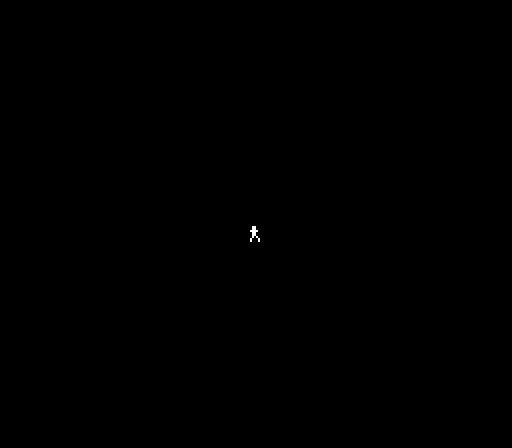
The same running figure on a black screen — but now press left or right on the controller and it moves. The sprite glides smoothly across the screen, stopping at the edges.
Try This: Add Up and Down
The button masks for Up and Down are already defined:
BTN_UP     = %00001000
BTN_DOWN   = %00000100
Add two more movement blocks after the left/right checks, using player_y instead of player_x. Clamp to a sensible range — Y values 8 to 224 keep the sprite visible on NTSC. The movement code is identical in structure: AND mask, BEQ skip, boundary check, INC/DEC.
Try This: Move Faster
One pixel per frame is a steady walk. For a run, increment twice:
    lda buttons
    and #BTN_RIGHT
    beq @not_right
    lda player_x
    cmp #RIGHT_WALL
    bcs @not_right
    inc player_x
    lda player_x
    cmp #RIGHT_WALL
    bcs @not_right
    inc player_x
@not_right:
Two INC instructions per frame doubles the speed. The second boundary check prevents overshooting the edge. In Unit 3, we’ll replace this with proper velocity — a variable that accumulates rather than a fixed step.
Try This: Different Button for Movement
Swap the button masks:
and #BTN_A ; A button moves right instead of d-padAny button can trigger any action. The mask is just a bit position in the buttons byte.
If It Doesn’t Work
- No movement? Check the NMI handler sets
nmi_flag. Without it, the main loop spins forever onBEQ main_loop. - Sprite doesn’t move? Make sure
oam_buffer+3is updated fromplayer_xafter the movement code, not before. The DMA reads whatever is in the buffer when NMI fires. - Movement only in one direction? Check both
ANDmasks.BTN_LEFTis%00000010,BTN_RIGHTis%00000001. Swapping them reverses the controls. - Sprite teleports at edge? The boundary check must come BEFORE
DEC/INC. Without it, X wraps from 0 to 255 or from 255 to 0. - Jittery movement? Make sure
nmi_flagis cleared immediately after detecting it. If the flag stays set, the game logic runs multiple times per frame. - Controller not responding? The strobe sequence must write 1 then 0 to
$4016. Missing either write means the controller never latches.
What You’ve Learnt
- Controller protocol — write 1 then 0 to
$4016to latch buttons. Read$4016eight times to get A, B, Select, Start, Up, Down, Left, Right, one per read. - LSR/ROL bit packing —
LSR Ashifts bit 0 into carry.ROL buttonsrotates carry into a byte. Eight iterations pack eight buttons into one byte. - AND bit masking —
AND #maskisolates a single bit. If the result is zero, the button isn’t pressed. If non-zero, it is. - BEQ/BNE branching —
BEQbranches when the zero flag is set (result was zero).BNEbranches when it’s clear. These are the fundamental decision instructions. - BCS for unsigned comparison —
CMP #valuesets carry if A >= value.BCSbranches when carry is set. This is how you check boundaries on unsigned numbers. - NMI flag synchronisation — NMI sets a flag, main loop waits for it. Game logic runs exactly once per frame, locked to 60Hz.
- Boundary checking — test the position BEFORE moving. Prevents wrap-around at the edges of the screen.
What’s Next
Left and right. But the runner needs to do more than walk — in Unit 3, the A button makes the character jump. Velocity, gravity, and the core verb of every platformer.