Jump
The A button launches the player upward. Gravity pulls them back down. Signed velocity, two's complement arithmetic, and the core verb of every platformer.
Left and right. But a platformer needs a vertical verb. Press A — the figure launches upward, hangs in the air for a moment, then falls back to the floor. Gravity, velocity, and the jump arc that defines every platformer.
This unit introduces signed arithmetic on the 6502. The player gets a vertical velocity variable that gravity increases every frame. A negative velocity means upward movement; positive means downward. The A button sets a negative impulse, and gravity does the rest.
Velocity and Gravity
In Unit 2, movement was instant — press a button, position changes by one pixel. Jumping needs something more: a velocity that changes over time.
The idea is simple. Every frame:
- Add gravity to velocity — velocity gets a little more positive (downward) each frame
- Add velocity to position — the player moves by the current velocity
- Check for the floor — if the player has passed through the floor, clamp them to it
When the player jumps, we set velocity to a negative value (upward). Gravity reduces that velocity each frame until it reaches zero (the apex), then increases it again (falling). The result is a smooth parabolic arc — the same curve a ball follows when you throw it.
Signed Numbers on the 6502
The 6502 doesn’t have separate signed and unsigned addition instructions. CLC / ADC handles both — the hardware adds bytes regardless of whether you interpret them as signed or unsigned.
The trick is two’s complement. In an unsigned byte, values range from 0 to 255. In two’s complement, the same byte represents -128 to +127:
$00 =   0       $7F = +127
$01 =  +1       $80 = -128
$02 =  +2       $FE =  -2
...             $FF =  -1
Values $00–$7F are positive (0 to 127). Values $80–$FF are negative (-128 to -1). The top bit acts as a sign indicator.
Our jump velocity is $F6, which in two’s complement is -10. Add -10 to a Y position and the sprite moves up by 10 pixels. Add +1 (gravity) to -10 and you get -9 — still moving up, but slower. Eventually velocity reaches 0 (the peak), then goes positive (falling).
The ADC instruction doesn’t care. It adds bytes. The interpretation — signed or unsigned — is entirely in your head.
The Jump Check
    ; --- Jump check ---
    lda buttons
    and #BTN_A              ; A button pressed?
    beq @no_jump
    lda on_ground
    beq @no_jump            ; Already airborne — can't jump again
    lda #JUMP_VEL
    sta vel_y               ; Set upward velocity
    lda #0
    sta on_ground           ; Leave the ground
@no_jump:
Two conditions must be true: the A button is pressed, AND the player is on the ground. If either fails, BEQ skips the jump.
JUMP_VEL is $F6 — the upward impulse. Writing it to vel_y is the only thing the jump does. From this point on, the physics code takes over. Gravity will slow the ascent, stop it, reverse it, and accelerate the fall — all without any jump-specific code.
Setting on_ground to 0 prevents mid-air jumps. The player can’t jump again until they land.
Why Two Checks?
Without the on_ground check, holding A would reset the velocity every frame — the player would fly upward forever. Without the A button check, the player would jump automatically whenever they’re on the ground. Both conditions together mean: jump once, when you press the button, only from the floor.
The Physics
    ; --- Apply gravity ---
    lda vel_y
    clc
    adc #GRAVITY            ; Velocity increases downward each frame
    sta vel_y

    ; --- Apply velocity to Y position ---
    lda player_y
    clc
    adc vel_y               ; Move by current velocity
    sta player_y

    ; --- Floor collision ---
    lda player_y
    cmp #FLOOR_Y
    bcc @in_air             ; player_y < FLOOR_Y — still airborne
    lda #FLOOR_Y
    sta player_y            ; Clamp to floor
    lda #0
    sta vel_y               ; Stop falling
    lda #1
    sta on_ground           ; Back on the ground
@in_air:
Three steps, every frame, in order.
Gravity adds 1 to vel_y. If vel_y is -10, it becomes -9. Then -8, -7, … 0, 1, 2, 3 — the velocity crosses zero and starts accelerating downward. This is exactly how real gravity works: constant acceleration.
Apply velocity adds vel_y to player_y. When velocity is negative, the player moves up. When positive, down. The speed of movement matches the magnitude of the velocity.
Floor collision checks if the player has reached or passed FLOOR_Y (206). CMP #FLOOR_Y sets the carry flag if player_y >= 206. BCC @in_air skips the landing code if the player is still above the floor (carry clear = less than). When the player hits the floor, three things happen: position is clamped to the floor, velocity is zeroed, and on_ground is set back to 1 — ready for the next jump.
The Arc
With JUMP_VEL = -10 and GRAVITY = 1, the jump arc looks like this:
Frame   vel_y   player_y   Direction
  0      -10      206      Jump! (on floor)
  1       -9      196      Rising fast
  2       -8      187      Rising
  3       -7      179      Rising
  4       -6      172      Rising
  5       -5      166      Slowing
  6       -4      161      Slowing
  7       -3      157      Almost stopped
  8       -2      154      Barely moving
  9       -1      152      Crawling upward
 10        0      151      The apex — zero velocity
 11       +1      151      Starting to fall
 12       +2      152      Falling
 13       +3      154      Faster
  ...    ...      ...      Accelerating
 19       +9      196      Almost back
 20      +10      206      Land! (clamp to floor)
The rise is slow at the top and fast at the bottom — the same feel as Mario, Mega Man, and every platformer since. The peak hangs for a moment because the velocity passes through zero. This isn’t a special case or an animation trick. It’s just maths.
The New Starting Position
In Units 1 and 2, the player started at Y=120 (centre of the screen). Now there’s a floor at Y=206, so the player starts there instead. The on_ground flag starts at 1 — ready to jump from the first frame.
PLAYER_Y    = 206           ; Starting Y position (on the floor)
FLOOR_Y     = 206           ; Y position of the floor
Why 206? An 8×8 sprite at Y=206 sits near the bottom of the visible screen. Below about Y=224, sprites are in the overscan area and may not be visible on all TVs. Leaving some margin keeps the floor visible.
The Complete Code
; =============================================================================
; DASH - Unit 3: Jump
; =============================================================================
; The A button launches the player upward. Gravity pulls them back down.
; The core verb of every platformer.
; =============================================================================

; -----------------------------------------------------------------------------
; NES Hardware Addresses
; -----------------------------------------------------------------------------
PPUCTRL   = $2000
PPUMASK   = $2001
PPUSTATUS = $2002
OAMADDR   = $2003
PPUADDR   = $2006
PPUDATA   = $2007
OAMDMA    = $4014
JOYPAD1   = $4016

; -----------------------------------------------------------------------------
; Button Masks
; -----------------------------------------------------------------------------
BTN_A      = %10000000
BTN_B      = %01000000
BTN_SELECT = %00100000
BTN_START  = %00010000
BTN_UP     = %00001000
BTN_DOWN   = %00000100
BTN_LEFT   = %00000010
BTN_RIGHT  = %00000001

; -----------------------------------------------------------------------------
; Game Constants
; -----------------------------------------------------------------------------
PLAYER_X    = 124           ; Starting X position
PLAYER_Y    = 206           ; Starting Y position (on the floor)
PLAYER_TILE = 1             ; Tile number for the player sprite
RIGHT_WALL  = 248           ; Rightmost X position
FLOOR_Y     = 206           ; Y position of the floor
GRAVITY     = 1             ; Added to vel_y each frame
JUMP_VEL    = $F6           ; -10 in two's complement (upward impulse)

; -----------------------------------------------------------------------------
; Memory
; -----------------------------------------------------------------------------
.segment "ZEROPAGE"
player_x:   .res 1          ; Player X position
player_y:   .res 1          ; Player Y position
vel_y:      .res 1          ; Vertical velocity (signed: negative = up)
buttons:    .res 1          ; Current button state
nmi_flag:   .res 1          ; Set by NMI, cleared by main loop
on_ground:  .res 1          ; 1 = on floor, 0 = in air

.segment "OAM"
oam_buffer: .res 256

.segment "BSS"

; =============================================================================
; iNES Header
; =============================================================================
.segment "HEADER"
    .byte "NES", $1A
    .byte 2
    .byte 1
    .byte $01
    .byte $00
    .byte 0,0,0,0,0,0,0,0

; =============================================================================
; Code
; =============================================================================
.segment "CODE"

; --- Reset ---
reset:
    sei
    cld
    ldx #$40
    stx $4017
    ldx #$FF
    txs
    inx
    stx PPUCTRL
    stx PPUMASK
    stx $4010

@vblank1:
    bit PPUSTATUS
    bpl @vblank1

    lda #0
@clear_ram:
    sta $0000, x
    sta $0100, x
    sta $0200, x
    sta $0300, x
    sta $0400, x
    sta $0500, x
    sta $0600, x
    sta $0700, x
    inx
    bne @clear_ram

@vblank2:
    bit PPUSTATUS
    bpl @vblank2

    ; Load palette
    bit PPUSTATUS
    lda #$3F
    sta PPUADDR
    lda #$00
    sta PPUADDR

    ldx #0
@load_palette:
    lda palette_data, x
    sta PPUDATA
    inx
    cpx #32
    bne @load_palette

    ; Set up player sprite
    lda #PLAYER_Y
    sta oam_buffer+0
    lda #PLAYER_TILE
    sta oam_buffer+1
    lda #0
    sta oam_buffer+2
    lda #PLAYER_X
    sta oam_buffer+3

    lda #PLAYER_X
    sta player_x
    lda #PLAYER_Y
    sta player_y
    lda #0
    sta vel_y
    lda #1
    sta on_ground           ; Start on the floor

    ; Hide other sprites
    lda #$EF
    ldx #4
@hide_sprites:
    sta oam_buffer, x
    inx
    bne @hide_sprites

    ; Enable rendering
    lda #%10000000
    sta PPUCTRL
    lda #%00011110
    sta PPUMASK

; =============================================================================
; Main Loop
; =============================================================================
main_loop:
    lda nmi_flag
    beq main_loop
    lda #0
    sta nmi_flag

    ; --- Read controller ---
    lda #1
    sta JOYPAD1
    lda #0
    sta JOYPAD1

    ldx #8
@read_pad:
    lda JOYPAD1
    lsr a
    rol buttons
    dex
    bne @read_pad

    ; --- Jump check ---
    lda buttons
    and #BTN_A              ; A button pressed?
    beq @no_jump
    lda on_ground
    beq @no_jump            ; Already airborne — can't jump again
    lda #JUMP_VEL
    sta vel_y               ; Set upward velocity
    lda #0
    sta on_ground           ; Leave the ground
@no_jump:

    ; --- Move left/right ---
    lda buttons
    and #BTN_LEFT
    beq @not_left
    lda player_x
    beq @not_left
    dec player_x
@not_left:

    lda buttons
    and #BTN_RIGHT
    beq @not_right
    lda player_x
    cmp #RIGHT_WALL
    bcs @not_right
    inc player_x
@not_right:

    ; --- Apply gravity ---
    lda vel_y
    clc
    adc #GRAVITY
    sta vel_y

    ; --- Apply velocity to Y position ---
    lda player_y
    clc
    adc vel_y
    sta player_y

    ; --- Floor collision ---
    lda player_y
    cmp #FLOOR_Y
    bcc @in_air             ; player_y < FLOOR_Y — still airborne
    lda #FLOOR_Y
    sta player_y            ; Clamp to floor
    lda #0
    sta vel_y               ; Stop falling
    lda #1
    sta on_ground           ; Back on the ground
@in_air:

    ; --- Update sprite position ---
    lda player_y
    sta oam_buffer+0
    lda player_x
    sta oam_buffer+3

    jmp main_loop

; =============================================================================
; NMI Handler
; =============================================================================
nmi:
    pha
    txa
    pha
    tya
    pha

    lda #0
    sta OAMADDR
    lda #>oam_buffer
    sta OAMDMA

    lda #1
    sta nmi_flag

    pla
    tay
    pla
    tax
    pla
    rti

irq:
    rti

; =============================================================================
; Data
; =============================================================================

palette_data:
    .byte $0F, $00, $10, $20
    .byte $0F, $00, $10, $20
    .byte $0F, $00, $10, $20
    .byte $0F, $00, $10, $20
    .byte $0F, $30, $16, $27
    .byte $0F, $30, $16, $27
    .byte $0F, $30, $16, $27
    .byte $0F, $30, $16, $27

; =============================================================================
; Vectors
; =============================================================================
.segment "VECTORS"
    .word nmi
    .word reset
    .word irq

; =============================================================================
; CHR-ROM
; =============================================================================
.segment "CHARS"

; Tile 0: Empty
.byte $00,$00,$00,$00,$00,$00,$00,$00
.byte $00,$00,$00,$00,$00,$00,$00,$00

; Tile 1: Running figure
.byte %00110000
.byte %00110000
.byte %01111000
.byte %00110000
.byte %00110000
.byte %00101000
.byte %01000100
.byte %01000100
.byte %00000000
.byte %00000000
.byte %00000000
.byte %00000000
.byte %00000000
.byte %00000000
.byte %00000000
.byte %00000000

.res 8192 - 32, $00
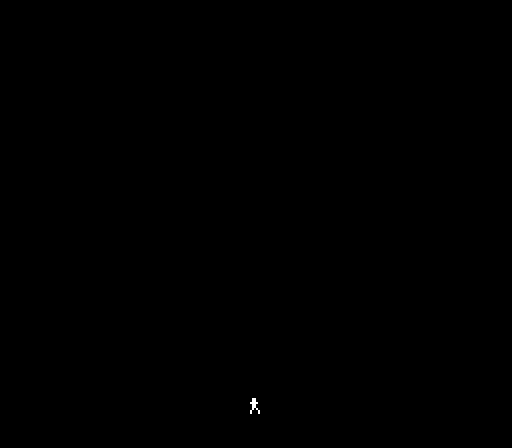
The figure stands at the bottom of the screen. Press A and it launches upward in a smooth arc, hangs at the peak, then falls back to the floor. Move left and right while jumping — the horizontal movement from Unit 2 combines with the vertical physics to create diagonal arcs.
Try This: Change the Gravity
Lower gravity makes floatier jumps:
GRAVITY = 1 ; Earth-like (current)Try setting GRAVITY to 2 for heavier, snappier jumps. The player reaches the apex faster and falls harder. Or try leaving gravity at 1 and changing JUMP_VEL to $F2 (-14) for a higher jump. The feel of a platformer lives in these two numbers.
Try This: Double Jump
Remove the on_ground check:
    lda buttons
    and #BTN_A
    beq @no_jump
    ; lda on_ground         ; Skip this check
    ; beq @no_jump          ; Skip this too
    lda #JUMP_VEL
    sta vel_y
@no_jump:
Now the player can jump at any time — even mid-air. Holding A resets the velocity every frame, so the player flies upward forever. This is why the on_ground flag matters. A proper double jump (jump once more in mid-air, but only once) needs a counter — we’ll build that in a later unit.
Try This: Variable Jump Height
In most platformers, tapping A gives a short hop while holding A gives a full jump. One way to achieve this:
    ; After the jump check, while airborne and rising:
    lda buttons
    and #BTN_A
    bne @holding_a          ; A still held — let physics run
    lda vel_y
    bpl @holding_a          ; Already falling — don't interfere
    lda #$FE                ; Cut velocity to -2 (gentle rise)
    sta vel_y
@holding_a:
When the player releases A while still rising, this cuts the velocity short. The jump ends early, giving a lower arc. This is how Super Mario Bros. handles short hops versus full jumps.
If It Doesn’t Work
- No jump? Check that
on_groundstarts at 1 in the initialisation code. If it starts at 0, the jump check fails because the player is “already airborne”. - Player falls through the floor? The
CMP #FLOOR_Y/BCCcheck must come AFTER the position update. If it runs before, the position hasn’t been updated yet and the check uses stale data. - Player stuck at the top? Make sure gravity is being added to
vel_y, not toplayer_ydirectly. Gravity changes velocity, which then changes position. - Jump goes the wrong way?
JUMP_VELmust be negative (high bit set).$F6is -10. If you accidentally use$0A(+10), the player jumps downward. - Jerky arc? Check that
CLCappears before bothADCinstructions. Without it, a stale carry flag adds an extra 1 to the result, corrupting the physics. - Can jump mid-air? Make sure the
on_groundcheck isn’t commented out. Both conditions (A pressed AND on ground) must pass.
What You’ve Learnt
- Velocity as a variable — position changes by velocity each frame, not by a fixed amount. This creates acceleration and deceleration naturally.
- Two’s complement — the 6502 represents negative numbers using values $80–$FF.
ADChandles signed and unsigned identically — the interpretation is yours. - Gravity as constant acceleration — adding a fixed value to velocity each frame produces a parabolic arc. The same physics that governs a thrown ball.
- Jump impulse — setting velocity to a negative value launches the player upward. Gravity does all the work from there.
- Floor collision —
CMP/BCCdetects when the player reaches the floor. Clamping position and zeroing velocity creates a clean landing. - Guard conditions — two
BEQchecks ensure the player can only jump when on the ground with A pressed. Without both, the physics breaks. - The on_ground flag — a single byte that tracks whether the player is standing or airborne. Set on landing, cleared on jump.
What’s Next
The player can run and jump — but there’s nothing to jump over. In Unit 4, we add obstacles that scroll across the screen, and the game gets its first challenge.