Jump Sound
The APU's pulse channel gives the jump a voice. Four register writes set the duty cycle, volume, pitch, and sweep — a rising chirp that silences itself.
The jump works, the obstacle scrolls, the collision stings — but the leap is silent. Every great platformer has a jump sound. Mario’s rising boing. Mega Man’s pew. In this unit, the APU’s pulse channel gives Dash its voice.
Four register writes. One rising chirp. The game stops being silent.
The APU
The NES has a dedicated sound chip called the APU (Audio Processing Unit). It runs alongside the CPU, generating sound from five channels:
| Channel | Registers | Sound |
|---|---|---|
| Pulse 1 | $4000–$4003 | Square wave with variable duty cycle |
| Pulse 2 | $4004–$4007 | Same as Pulse 1 |
| Triangle | $4008–$400B | Triangle wave (smoother, no volume control) |
| Noise | $400C–$400F | Pseudo-random noise (percussion, effects) |
| DMC | $4010–$4013 | Sample playback |
Each channel has four registers. Write values, get sound. The APU runs independently — once you set the registers, the channel produces sound without any further CPU work.
We’ll use Pulse 1 for the jump sound. It’s the workhorse of NES audio — two pulse channels handle most melody and sound effects.
Enabling the Channel
Before a channel produces sound, it must be enabled in the status register:
    lda #%00000001          ; Bit 0 = Pulse 1
    sta APU_STATUS          ; $4015
Each bit in $4015 enables one channel: bit 0 for Pulse 1, bit 1 for Pulse 2, bit 2 for Triangle, bit 3 for Noise, bit 4 for DMC. We enable only Pulse 1 for now.
This goes in the initialisation code, once. The channel stays enabled until you clear the bit.
The Four Pulse Registers
    ; --- Play jump sound ---
    lda #%10111000          ; Duty 50%, constant volume, level 8
    sta SQ1_VOL
    lda #%10111001          ; Sweep: on, period 3, negate, shift 1
    sta SQ1_SWEEP
    lda #$C8                ; Timer low ($0C8 ≈ 556 Hz)
    sta SQ1_LO
    lda #$00                ; Timer high
    sta SQ1_HI
Four writes, one per register. Each controls a different aspect of the sound.
$4000 — Volume and Duty Cycle
Bit:  7 6   5   4   3 2 1 0
      Duty  H   C   Volume
Duty cycle (bits 7–6) controls the shape of the wave — how much of each cycle is “high” versus “low”:
%00 = 12.5%  thin, buzzy      ─╲___________
%01 = 25%    reedy, nasal      ─╲╲__________
%10 = 50%    full, round       ─╲╲╲╲╲_______
%11 = 75%    same as 25%       ─╲╲╲╲╲╲╲╲____
We use %10 (50%) — a clean, full tone. The other duty cycles are useful for different timbres: 12.5% for thin laser sounds, 25% for woodwind-like melodies.
Constant volume (bit 4): when set to 1, bits 3–0 are the volume level (0–15). When 0, the APU uses an envelope that automatically decays the volume — useful for notes that fade out, but more to explain. We use constant volume here.
Halt (bit 5): halts the length counter, which would otherwise auto-silence the channel after a set number of frames. With halt on, the sound plays until something else stops it.
Our value: %10111000 = 50% duty, halt on, constant volume, level 8.
$4001 — Sweep
The sweep unit automatically changes the pitch over time. This is what makes the jump sound rise instead of staying at one flat note.
Bit:  7       6 5 4     3       2 1 0
      Enable  Period    Negate  Shift
Enable (bit 7): turns the sweep on or off.
Period (bits 6–4): how often the pitch changes. Lower = faster. With period 3, the sweep updates roughly every other frame.
Negate (bit 3): the direction. When set, the sweep subtracts from the timer — the timer value gets smaller, which means the frequency gets higher. The pitch rises. When clear, the pitch falls.
Shift (bits 2–0): how much the pitch changes per step. The sweep shifts the current timer value right by this amount and subtracts (or adds) the result. Shift 1 halves the value each step — aggressive. Shift 2 quarters it — gentler.
Our value: %10111001 = enabled, period 3, negate (rising), shift 1. The pitch starts at ~556 Hz and sweeps upward, getting higher and faster until it’s inaudible. Then the channel silences itself — no cleanup code needed.
$4002 / $4003 — Pitch
The pitch is set by an 11-bit timer value split across two registers:
$4002holds the low 8 bits$4003holds the high 3 bits (in bits 2–0)
Lower timer values = higher frequency. The formula: frequency = 1,789,773 ÷ (16 × (timer + 1)).
Our timer value $0C8 (200 decimal) gives roughly 556 Hz — a solid mid-range tone that the sweep carries upward.
Writing to $4003 has a side effect: it restarts the channel’s internal phase and reloads the length counter. This is why we write $4003 last — it triggers the sound.
Where the Sound Triggers
The four STA instructions sit inside the jump check, right after setting the velocity:
    ; --- Jump check ---
    lda buttons
    and #BTN_A
    beq @no_jump
    lda on_ground
    beq @no_jump
    lda #JUMP_VEL
    sta vel_y
    lda #0
    sta on_ground

    ; --- Play jump sound ---
    lda #%10111000
    sta SQ1_VOL
    ...
@no_jump:
The sound only triggers when the player actually jumps — both A pressed and on the ground. If the player is mid-air, the BEQ @no_jump skips the entire block, including the sound. One jump, one chirp.
The Complete Code
; =============================================================================
; DASH - Unit 5: Jump Sound
; =============================================================================
; The APU's pulse channel gives the jump a voice. Four register writes
; produce a rising chirp that silences itself automatically.
; =============================================================================

; -----------------------------------------------------------------------------
; NES Hardware Addresses
; -----------------------------------------------------------------------------
PPUCTRL   = $2000
PPUMASK   = $2001
PPUSTATUS = $2002
OAMADDR   = $2003
PPUADDR   = $2006
PPUDATA   = $2007
OAMDMA    = $4014
JOYPAD1   = $4016

; -----------------------------------------------------------------------------
; APU Registers (Pulse Channel 1)
; -----------------------------------------------------------------------------
SQ1_VOL    = $4000              ; Duty cycle, volume, envelope
SQ1_SWEEP  = $4001              ; Sweep control
SQ1_LO     = $4002              ; Timer low byte (pitch)
SQ1_HI     = $4003              ; Timer high + length counter
APU_STATUS = $4015              ; Channel enable flags

; -----------------------------------------------------------------------------
; Button Masks
; -----------------------------------------------------------------------------
BTN_A      = %10000000
BTN_B      = %01000000
BTN_SELECT = %00100000
BTN_START  = %00010000
BTN_UP     = %00001000
BTN_DOWN   = %00000100
BTN_LEFT   = %00000010
BTN_RIGHT  = %00000001

; -----------------------------------------------------------------------------
; Game Constants
; -----------------------------------------------------------------------------
PLAYER_X       = 60
PLAYER_Y       = 206
PLAYER_TILE    = 1
RIGHT_WALL     = 248
FLOOR_Y        = 206
GRAVITY        = 1
JUMP_VEL       = $F6
OBSTACLE_TILE  = 2
OBSTACLE_SPEED = 2

; -----------------------------------------------------------------------------
; Memory
; -----------------------------------------------------------------------------
.segment "ZEROPAGE"
player_x:   .res 1
player_y:   .res 1
vel_y:      .res 1
buttons:    .res 1
nmi_flag:   .res 1
on_ground:  .res 1
obstacle_x: .res 1

.segment "OAM"
oam_buffer: .res 256

.segment "BSS"

; =============================================================================
; iNES Header
; =============================================================================
.segment "HEADER"
    .byte "NES", $1A
    .byte 2
    .byte 1
    .byte $01
    .byte $00
    .byte 0,0,0,0,0,0,0,0

; =============================================================================
; Code
; =============================================================================
.segment "CODE"

; --- Reset ---
reset:
    sei
    cld
    ldx #$40
    stx $4017
    ldx #$FF
    txs
    inx
    stx PPUCTRL
    stx PPUMASK
    stx $4010
    stx APU_STATUS          ; Silence all channels

@vblank1:
    bit PPUSTATUS
    bpl @vblank1

    lda #0
@clear_ram:
    sta $0000, x
    sta $0100, x
    sta $0200, x
    sta $0300, x
    sta $0400, x
    sta $0500, x
    sta $0600, x
    sta $0700, x
    inx
    bne @clear_ram

@vblank2:
    bit PPUSTATUS
    bpl @vblank2

    ; Load palette
    bit PPUSTATUS
    lda #$3F
    sta PPUADDR
    lda #$00
    sta PPUADDR

    ldx #0
@load_palette:
    lda palette_data, x
    sta PPUDATA
    inx
    cpx #32
    bne @load_palette

    ; Set up player sprite (OAM entry 0)
    lda #PLAYER_Y
    sta oam_buffer+0
    lda #PLAYER_TILE
    sta oam_buffer+1
    lda #0
    sta oam_buffer+2
    lda #PLAYER_X
    sta oam_buffer+3

    ; Set up obstacle sprite (OAM entry 1)
    lda #FLOOR_Y
    sta oam_buffer+4
    lda #OBSTACLE_TILE
    sta oam_buffer+5
    lda #1
    sta oam_buffer+6
    lda #255
    sta oam_buffer+7

    ; Initialise game state
    lda #PLAYER_X
    sta player_x
    lda #PLAYER_Y
    sta player_y
    lda #0
    sta vel_y
    lda #1
    sta on_ground
    lda #255
    sta obstacle_x

    ; Hide other sprites (entries 2-63)
    lda #$EF
    ldx #8
@hide_sprites:
    sta oam_buffer, x
    inx
    bne @hide_sprites

    ; Enable APU pulse channel 1
    lda #%00000001
    sta APU_STATUS

    ; Enable rendering
    lda #%10000000
    sta PPUCTRL
    lda #%00011110
    sta PPUMASK

; =============================================================================
; Main Loop
; =============================================================================
main_loop:
    lda nmi_flag
    beq main_loop
    lda #0
    sta nmi_flag

    ; --- Read controller ---
    lda #1
    sta JOYPAD1
    lda #0
    sta JOYPAD1

    ldx #8
@read_pad:
    lda JOYPAD1
    lsr a
    rol buttons
    dex
    bne @read_pad

    ; --- Jump check ---
    lda buttons
    and #BTN_A
    beq @no_jump
    lda on_ground
    beq @no_jump
    lda #JUMP_VEL
    sta vel_y
    lda #0
    sta on_ground

    ; --- Play jump sound ---
    lda #%10111000          ; Duty 50%, constant volume, level 8
    sta SQ1_VOL
    lda #%10111001          ; Sweep: on, period 3, negate, shift 1
    sta SQ1_SWEEP
    lda #$C8                ; Timer low ($0C8 ≈ 556 Hz)
    sta SQ1_LO
    lda #$00                ; Timer high
    sta SQ1_HI

@no_jump:

    ; --- Move left/right ---
    lda buttons
    and #BTN_LEFT
    beq @not_left
    lda player_x
    beq @not_left
    dec player_x
@not_left:

    lda buttons
    and #BTN_RIGHT
    beq @not_right
    lda player_x
    cmp #RIGHT_WALL
    bcs @not_right
    inc player_x
@not_right:

    ; --- Apply gravity ---
    lda vel_y
    clc
    adc #GRAVITY
    sta vel_y

    ; --- Apply velocity to Y position ---
    lda player_y
    clc
    adc vel_y
    sta player_y

    ; --- Floor collision ---
    lda player_y
    cmp #FLOOR_Y
    bcc @in_air
    lda #FLOOR_Y
    sta player_y
    lda #0
    sta vel_y
    lda #1
    sta on_ground
@in_air:

    ; --- Move obstacle ---
    lda obstacle_x
    sec
    sbc #OBSTACLE_SPEED
    sta obstacle_x

    ; --- Collision with obstacle ---
    lda on_ground
    beq @no_collide

    lda obstacle_x
    cmp #240
    bcs @no_collide

    lda player_x
    clc
    adc #8
    cmp obstacle_x
    bcc @no_collide
    beq @no_collide

    lda obstacle_x
    clc
    adc #8
    cmp player_x
    bcc @no_collide
    beq @no_collide

    lda #PLAYER_X
    sta player_x

@no_collide:

    ; --- Update sprite positions ---
    lda player_y
    sta oam_buffer+0
    lda player_x
    sta oam_buffer+3

    lda #FLOOR_Y
    sta oam_buffer+4
    lda obstacle_x
    sta oam_buffer+7

    jmp main_loop

; =============================================================================
; NMI Handler
; =============================================================================
nmi:
    pha
    txa
    pha
    tya
    pha

    lda #0
    sta OAMADDR
    lda #>oam_buffer
    sta OAMDMA

    lda #1
    sta nmi_flag

    pla
    tay
    pla
    tax
    pla
    rti

irq:
    rti

; =============================================================================
; Data
; =============================================================================

palette_data:
    .byte $0F, $00, $10, $20
    .byte $0F, $00, $10, $20
    .byte $0F, $00, $10, $20
    .byte $0F, $00, $10, $20
    .byte $0F, $30, $16, $27
    .byte $0F, $16, $27, $30
    .byte $0F, $30, $16, $27
    .byte $0F, $30, $16, $27

; =============================================================================
; Vectors
; =============================================================================
.segment "VECTORS"
    .word nmi
    .word reset
    .word irq

; =============================================================================
; CHR-ROM
; =============================================================================
.segment "CHARS"

; Tile 0: Empty
.byte $00,$00,$00,$00,$00,$00,$00,$00
.byte $00,$00,$00,$00,$00,$00,$00,$00

; Tile 1: Running figure
.byte %00110000
.byte %00110000
.byte %01111000
.byte %00110000
.byte %00110000
.byte %00101000
.byte %01000100
.byte %01000100
.byte %00000000
.byte %00000000
.byte %00000000
.byte %00000000
.byte %00000000
.byte %00000000
.byte %00000000
.byte %00000000

; Tile 2: Diamond obstacle
.byte %00011000
.byte %00111100
.byte %01111110
.byte %11111111
.byte %11111111
.byte %01111110
.byte %00111100
.byte %00011000
.byte %00000000
.byte %00000000
.byte %00000000
.byte %00000000
.byte %00000000
.byte %00000000
.byte %00000000
.byte %00000000

.res 8192 - 48, $00
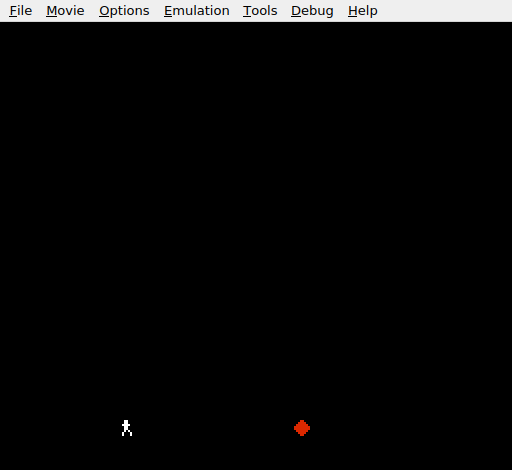
The screen looks identical to Unit 4 — white figure, red diamond. But press A and you hear it: a short rising chirp as the character launches upward. The sweep carries the pitch from a low tone to inaudible in about a quarter of a second, then the channel goes silent. The jump has a voice.
Try This: Different Duty Cycles
Change the duty cycle bits in $4000:
    lda #%00111000          ; 12.5% duty — thin, buzzy chirp
    sta SQ1_VOL
Or try %01111000 for 25% duty — a reedy, more nasal tone. Each duty cycle has a distinct character. Commercial NES games switch between them constantly for variety.
Try This: Falling Pitch
Clear the negate bit in the sweep register:
    lda #%10110001          ; Sweep: on, period 3, NO negate, shift 1
    sta SQ1_SWEEP
Without negate, the sweep adds to the timer instead of subtracting. The pitch falls instead of rising — a descending tone, like a character falling. This could work as a “hit” or “death” sound.
Try This: Slower Sweep
Increase the period for a more gradual pitch change:
    lda #%11111001          ; Sweep: on, period 7 (slowest), negate, shift 1
    sta SQ1_SWEEP
Period 7 is the slowest — the pitch changes about every 4 frames. The chirp stretches out into a longer, more musical slide. Combine with a higher starting pitch ($4002 = $40) for a whistle-like effect.
Try This: Hit Sound
Add a sound when the player collides with the obstacle. Use a low, falling tone on the same channel:
    ; In the collision hit code:
    lda #%10110100          ; 50% duty, constant volume 4 (quieter)
    sta SQ1_VOL
    lda #%10110000          ; Sweep: on, period 3, NO negate, shift 0
    sta SQ1_SWEEP
    lda #$40                ; Higher starting pitch
    sta SQ1_LO
    lda #$01                ; Timer high
    sta SQ1_HI
A falling tone at lower volume — the opposite of the jump chirp. Using the same channel means the hit sound cuts off any lingering jump sound, which is actually what you want.
If It Doesn’t Work
- No sound at all? Check that
APU_STATUS($4015) has bit 0 set. Without enabling the channel, all writes to$4000–$4003are ignored. - Sound plays constantly? Make sure the four
STAinstructions are inside the@no_jumpbranch — after the A button AND on_ground checks, before the@no_jumplabel. If they’re outside the branch, the sound triggers every frame. - Sound is a flat tone (no rise)? Check
$4001. Bit 7 must be 1 (sweep enabled) and bit 3 must be 1 (negate = rising pitch). Without negate, the pitch falls and the channel may silence instantly if the timer overflows past$7FF. - Sound is too quiet? Bits 3–0 of
$4000set the volume (0–15). Our value of 8 is moderate. Try%10111111for maximum volume (15). - Sound never stops? With halt (bit 5) set and constant volume (bit 4) set, the only thing that silences the channel is the sweep reaching a timer value below 8. Make sure the sweep is enabled and configured to reach that point.
- Clicking or popping? Writing to
$4003resets the phase of the pulse wave, which can cause an audible click if the channel is already producing sound. For a one-shot effect like a jump, this doesn’t matter. For music, you’d avoid unnecessary$4003writes.
What You’ve Learnt
- APU channel architecture — five channels, four registers each. Write values to the registers and the APU produces sound independently of the CPU.
- Channel enabling —
$4015controls which channels are active. A channel must be enabled before it produces any output. - Duty cycle — the shape of the pulse wave. 12.5%, 25%, 50%, and 75% each have a distinct timbre, from thin and buzzy to full and round.
- Sweep unit — automatically changes the pitch over time. Negate makes it rise (for jump sounds), no negate makes it fall (for impacts). Period and shift control the speed and amount.
- Timer as pitch — an 11-bit value split across two registers. Lower values = higher frequency. Writing the high register triggers the sound.
- Sound as game feedback — the jump sound only plays when the player actually jumps. The same guard conditions that control game logic control audio.
What’s Next
The game has a voice — but the world is still a black void. In Unit 6, background tiles fill the nametable and the level becomes visible.