The Fuse
Draw a thick yellow bar that shrinks each tick, with a cycling red spark character at the burning end.
The countdown digit changes colour. The border shifts. The beep rises. But there’s room for one more piece of visual tension — a burning fuse. A thick yellow bar that shrinks each tick, with a red spark flickering at the burning end. When the fuse is gone, the bomb explodes. The player can see time running out.
The Fuse
Type NEW, then type this program. It combines the ticking countdown from Unit 4 with a shrinking fuse bar:
   5 BORDER 0: PAPER 0: INK 7: CLS
  10 LET t=9
  12 LET z$="x+x-"
  14 FOR c=t TO 0 STEP -1
  16 LET fl=INT (16*c/t)
  18 IF fl<1 THEN LET fl=1
  20 FOR i=0 TO 1
  22 PRINT AT 10+i,5; PAPER 0;"                "
  24 NEXT i
  26 FOR i=0 TO 1
  28 PRINT AT 10+i,5; PAPER 6; INK 0;
  30 FOR j=1 TO fl: PRINT " ";: NEXT j
  32 NEXT i
  34 LET si=(c-INT (c/4)*4)+1
  36 PRINT AT 10,5+fl; INK 2; BRIGHT 1;z$(si TO si)
  38 BEEP 0.06,5+((t-c)*3)
  40 PAUSE 15
  42 NEXT c
Type RUN.
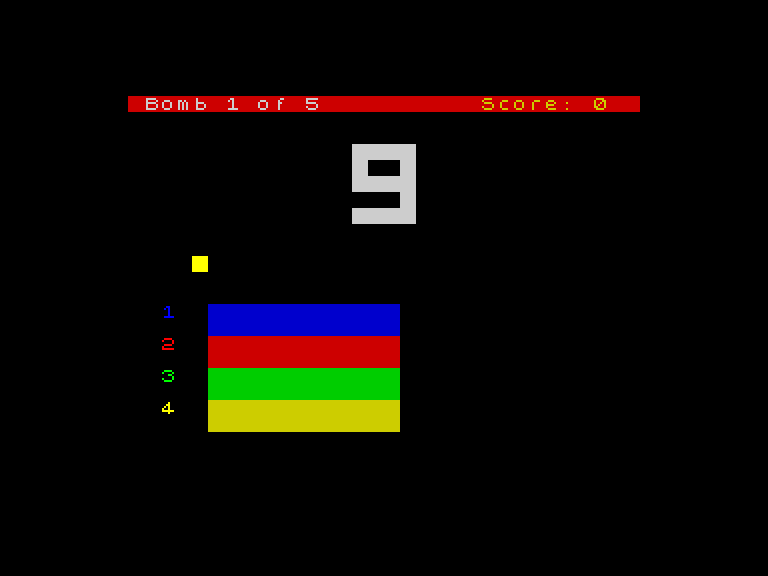
A thick yellow bar stretches across the middle of the screen. As the digit counts down, the bar shrinks from right to left. A red character flickers at the burning end — x, +, x, - — cycling every tick. By the time the counter hits 1, the fuse is almost gone. At 0, it vanishes.
How the Fuse Shrinks
Line 16 calculates the fuse length: LET fl=INT(16*c/t). When c equals t (the start), fl is 16 — the full width. When c is 0, fl is 0. The fuse is proportional to time remaining. Halfway through the countdown, the fuse is half its original length.
Line 18 clamps the minimum: IF fl<1 THEN LET fl=1. The fuse never drops below 1 column, so the spark always has somewhere to sit.
Lines 20-24 clear the fuse area first — printing spaces with PAPER 0 (black) over the full width. Then lines 26-32 redraw the fuse at its new, shorter length. The inner loop FOR j=1 TO fl prints exactly fl spaces with PAPER 6 (yellow). Each tick, fl shrinks and the yellow bar gets shorter.
Two rows (i=0 and i=1) make the fuse thick — the same technique you used for the wires.
The Spark
Line 12 defines the spark characters: LET z$="x+x-". Four characters that cycle to create a flickering effect.
Line 34 picks which character to show: LET si=(c-INT(c/4)*4)+1. This is a modulo operation — it cycles through 1, 2, 3, 4, 1, 2, 3, 4… as c counts down. The formula c-INT(c/4)*4 gives the remainder when c is divided by 4. Adding 1 shifts the range from 0-3 to 1-4, matching the character positions in z$.
Line 36 prints the spark: PRINT AT 10,5+fl; INK 2; BRIGHT 1;z$(si TO si). The spark sits at column 5+fl — just past the end of the yellow bar. It’s red (INK 2) and bright. z$(si TO si) extracts a single character from the string. Each tick, the spark moves leftward as fl shrinks, and the character changes as si cycles.
String Slicing
z$(si TO si) extracts one character from the string z$. Spectrum BASIC lets you slice strings with (start TO end). z$(1 TO 1) is the first character, z$(2 TO 2) is the second. When start and end are the same, you get a single character. This is how you pick individual characters from a string — useful for animation cycles, reading DATA patterns, and checking player input character by character.
Try This
- Change
z$="x+x-"toz$="*o*o". The spark character changes — asterisks and circles instead. Tryz$="####"for a solid block that doesn’t flicker. - Change
PAPER 6toPAPER 2on line 28. The fuse turns red.PAPER 5makes it cyan. Pick a colour that contrasts with the spark. - Remove lines 20-24 (the clearing step). Run it. The old fuse doesn’t get erased — you see a ghost of every previous length. That’s why clearing matters.
What You’ve Learnt
- Proportional shrinking —
INT(16*c/t)maps the countdown value to a visual length - Clearing and redrawing — erase the old fuse, then draw the new shorter one; without clearing, old frames linger
- Character cycling — a string of characters and a modulo formula create a flickering animation
- String slicing —
z$(n TO n)extracts the nth character from a string