Your Turn
Check the player's keypresses against the sequence — right key flashes the panel, wrong key ends the game.
The sequence has played. The panels have faded back to normal. Now the screen waits. The player presses a number key and the game checks it against the expected colour — right or wrong, instantly. This is where Colour Flood becomes interactive.
Player Input
Add these lines after the sequence playback code:
 110 PRINT AT 19,7; INK 2; BRIGHT 1;"Your turn!              "
 112 FOR i=1 TO LEN s$
 114 IF INKEY$<>"" THEN GO TO 114
 116 IF INKEY$="" THEN GO TO 116
 118 LET k$=INKEY$
 120 IF k$<"1" OR k$>"4" THEN GO TO 114
 122 LET c=VAL k$
 124 LET e=VAL s$(i TO i)
 126 IF c<>e THEN GO TO 200
 128 GO SUB 500
 130 PAUSE 6
 132 GO SUB 400
 134 NEXT i
Type RUN. Watch the sequence play (still hardcoded as “132”), then repeat it: press 1, then 3, then 2.
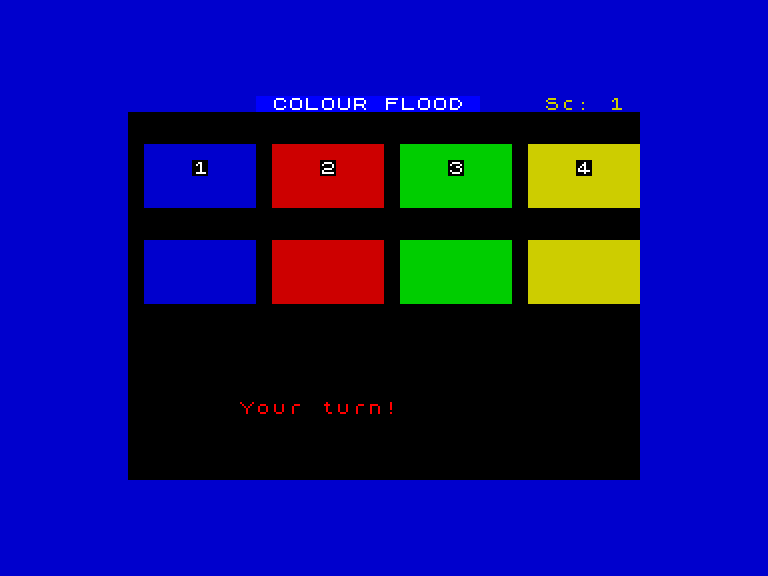
Press 1 and the blue panel flashes bright, the same low tone plays — it mirrors what the computer showed you. Press 3 and green floods the screen. Press 2 and red lights up with a mid-range note. Each correct keypress feels right because it looks and sounds exactly like the original playback.
Press the wrong key and the game jumps to line 200 — the game over handler you will build in Unit 7.
How the Check Works
The FOR loop runs through the sequence string one character at a time, just like the playback loop. But instead of flashing automatically, it waits for the player:
- Line 114 — wait for any held key to be released. This prevents one long press from counting as multiple inputs.
- Line 116 — wait for a new keypress. The loop spins here until a key goes down.
- Line 118 — capture the key in
k$. - Line 120 — ignore anything outside “1” to “4”. If the player presses “7” or “q”, go back to waiting.
- Line 122 — convert the key to a number with
VAL k$. - Line 124 — read the expected colour from the sequence string with
VAL s$(i TO i). - Line 126 — compare. If they do not match, jump to the game over code. If they match, flash the panel and continue to the next colour.
The Debounce Pattern
Lines 114-116 form a debounce pattern. Without them, a single keypress could register multiple times — the Spectrum checks INKEY$ thousands of times per second. “Wait for release, then wait for press” ensures each physical keypress counts exactly once.
Try This
- Change the sequence to
s$="1234"and play through it. Does the feedback loop feel satisfying — press, flash, tone, next? - Press the wrong key deliberately. The program tries to jump to line 200. Add
200 PRINT "Wrong!"temporarily so you can see the error path working.
What You’ve Learnt
- INKEY$ for game input — reads whatever key is currently held, returns "" if nothing is pressed
- Debounce — wait for release then press; stops one keypress counting twice
- String comparison —
c<>ecompares the player’s colour against the expected one - Immediate feedback — correct keypresses flash the matching panel; wrong keypresses end the game