Play a Sequence
Store a colour sequence in a string and loop through it with VAL — the Spectrum plays back a pattern.
The flash subroutine can light up any panel. Now you need to flash several panels in order — a sequence. A string stores the sequence and a FOR/NEXT loop reads it one character at a time. This is the core of the game: the computer plays a pattern, the player watches, then repeats it.
VAL and STR$
Before building the sequence, you need two commands that convert between strings and numbers. Type NEW, then:
  10 LET s$="3"
  20 LET n=VAL s$
  30 PRINT "String: ";s$
  40 PRINT "Number: ";n
  50 PRINT "n+1 = ";n+1
  60 LET s$=STR$ 7
  70 PRINT "STR$ 7 = ";s$
Type RUN. The screen shows the string “3”, the number 3, and the result of adding 1 to it (4). Then it converts the number 7 back to a string.
VAL s$converts a string to a number.VAL "3"gives 3.STR$ 7converts a number to a string.STR$ 7gives “7”.
These two are opposites. The sequence string stores colour numbers as text characters. VAL unpacks each character into a number you can use with BORDER and BEEP. STR$ packs a number back into text so you can add it to the string.
Playing the Sequence
Add these lines to the panel program from the previous units:
  50 LET s$="132"
  52 FOR i=1 TO LEN s$
  54 LET c=VAL s$(i TO i)
  56 GO SUB 500
  58 PAUSE 12
  60 GO SUB 400
  62 PAUSE 6
  64 NEXT i
Type RUN.
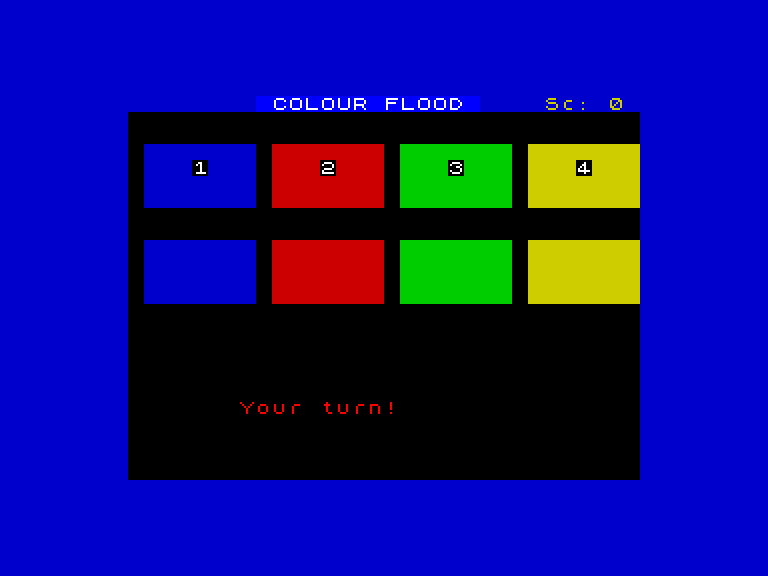
The four panels appear. After a moment, panel 1 flashes bright with a low tone — blue floods the border. It fades. Then panel 3 lights up green with a higher pitch. Fade. Then panel 2, red, mid-range. Three colours, three tones, played in order: 1, 3, 2.
The sequence string s$="132" stores those three colours as characters. The FOR loop runs from 1 to LEN s$ (the length of the string — 3). On each pass:
s$(i TO i)reads the i-th character. Wheniis 1, it reads “1”. Wheniis 2, it reads “3”.VAL s$(i TO i)converts the character to a number.GO SUB 500flashes that panel bright with its tone.GO SUB 400dims everything back to normal.
The pauses between flashes (PAUSE 12 after the flash, PAUSE 6 after the dim) give the player time to register each colour before the next one appears.
Try This
- Change
s$="132"tos$="4321". Four colours in reverse order. The loop adapts because it usesLEN s$. - Change it to
s$="1111". The same colour four times — all blue, all the same tone. Hard to count when every flash looks identical.
What You’ve Learnt
- VAL converts a string character to a number —
VAL "3"gives 3 - STR$ converts a number to a string —
STR$ 3gives “3” - LEN returns the length of a string — the loop uses it to know when to stop
- String indexing —
s$(i TO i)reads the i-th character (starting at 1) - Strings as data — the sequence string stores colour numbers as text, one character per colour