Flash and Fade
GO SUB subroutines flash a panel bright with a BEEP and dim all panels back to normal.
The game needs to flash a panel to signal a colour in the sequence. Flash means two things: light up one panel with BRIGHT and play a tone, then dim everything back to normal. Both actions happen repeatedly — once for every colour in every sequence — so they belong in subroutines. GO SUB jumps to the subroutine, RETURN jumps back.
The Flash Subroutine
Add this subroutine after the panel-drawing code from Unit 3:
 500 REM === Flash panel c bright ===
 502 LET px=1+(c-1)*8
 504 FOR i=0 TO 7
 506 PRINT AT 3+i,px; PAPER c; BRIGHT 1;"       "
 508 NEXT i
 512 BORDER c
 514 IF c=1 THEN BEEP 0.2,5
 516 IF c=2 THEN BEEP 0.2,10
 518 IF c=3 THEN BEEP 0.2,15
 520 IF c=4 THEN BEEP 0.2,20
 522 RETURN
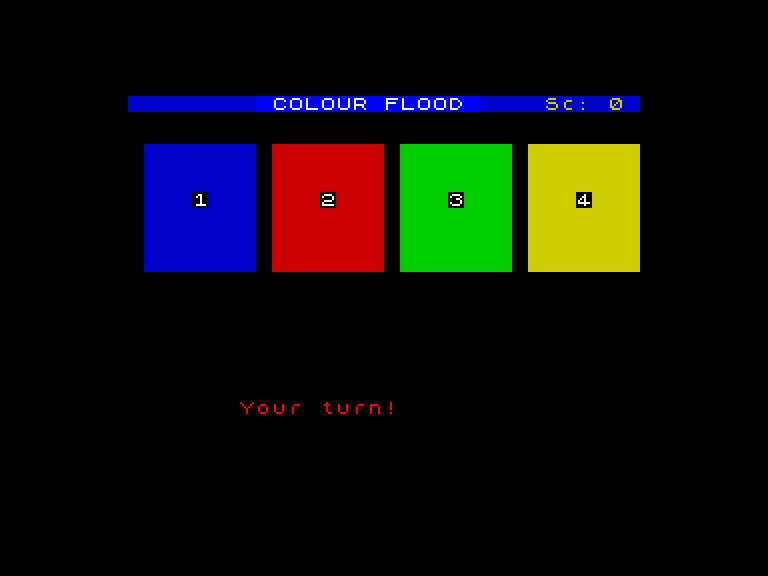
The subroutine takes a colour number in the variable c. It calculates the panel’s horizontal position with LET px=1+(c-1)*8 — panel 1 starts at column 1, panel 2 at column 9, panel 3 at column 17, panel 4 at column 25. Then a FOR loop redraws all eight rows of that panel with BRIGHT 1, making it visually pop against its neighbours.
The border changes to match (BORDER c) so the entire frame around the screen floods with the panel’s colour. That is the “flood” in Colour Flood — you cannot miss it, even in your peripheral vision.
Each panel has its own pitch: 5 for blue, 10 for red, 15 for green, 20 for yellow. Four distinct tones, evenly spaced. After a few rounds, you start recognising colours by sound alone.
GO SUB and RETURN
GO SUB 500 jumps to line 500 and remembers where it came from. RETURN on line 522 jumps back to the line after the GO SUB. You can call the same subroutine from anywhere in the program — set c to the colour you want, then GO SUB 500.
The dim subroutine (the panel-drawing code from Unit 3, wrapped in GO SUB 400) redraws all four panels at normal brightness. Call it after each flash to reset the board. The pattern is: set c, GO SUB 500 (flash), pause, GO SUB 400 (dim).
Why Subroutines?
Without subroutines, you would need to copy the flash code every time you wanted to flash a panel — once for playback, once for player input, potentially more. With GO SUB, the code exists in one place. Change the BEEP pitch or the BRIGHT duration and every flash in the game updates automatically.
Try This
- Change the BEEP pitches to
c*6instead of separate IF statements. Wider spacing between tones makes each colour easier to identify by ear. - Add
PAUSE 15after the GO SUB 500 call, thenGO SUB 400. Watch the flash linger before fading.
What You’ve Learnt
- GO SUB jumps to a subroutine and remembers where to come back to
- RETURN jumps back to the line after the GO SUB call
- Calculated position —
1+(c-1)*8converts a colour number into a screen column - BRIGHT 1 as a signal — flashing a panel bright makes it stand out from its neighbours
- Colour + sound pairing — each panel has a unique pitch so the player can use ears as well as eyes