GO SUB
Organise your code into reusable subroutines with GO SUB and RETURN.
The game is growing. The coin placement code, the HUD display, and the player drawing all appear in specific places. If you need to draw the player in two different spots in your code, you’d have to duplicate those lines. GO SUB solves this.
The Program
10 CLS
20 LET r = 10
30 LET c = 15
40 LET n = 0
50 LET f = 5
60 GO SUB 300
70 GO SUB 400
80 REM game loop
90 GO SUB 500
100 LET k$ = INKEY$
110 IF k$ = "" THEN GO TO 100
120 PRINT AT r, c; " "
130 IF k$ = "q" AND r > 1 THEN LET r = r - 1
140 IF k$ = "a" AND r < 20 THEN LET r = r + 1
150 IF k$ = "o" AND c > 0 THEN LET c = c - 1
160 IF k$ = "p" AND c < 31 THEN LET c = c + 1
170 IF ATTR (r, c) = 49 THEN LET n = n + 1: BEEP 0.05, 20: GO SUB 400
180 GO SUB 500
190 GO TO 100
200 STOP
300 REM === place coins ===
310 FOR i = 1 TO f
320 LET y = INT (RND * 19) + 2
330 LET x = INT (RND * 32)
340 INK 6: PRINT AT y, x; "*": INK 0
350 NEXT i
360 RETURN
400 REM === draw HUD ===
410 PRINT AT 0, 0; "Coins: "; n; "  "
420 RETURN
500 REM === draw player ===
510 INK 4: PRINT AT r, c; "O": INK 0
520 RETURN
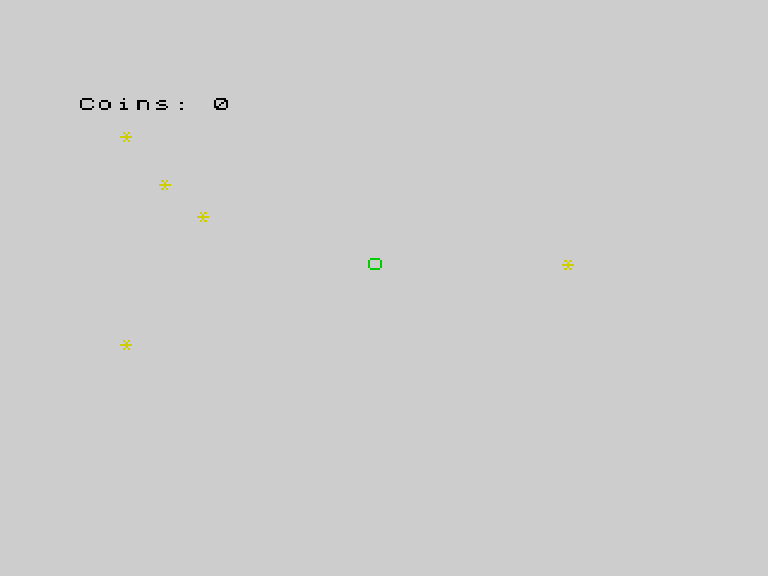
GO SUB and RETURN
GO SUB 300 jumps to line 300 and remembers where it came from. When the Spectrum reaches RETURN, it jumps back to the line after the GO SUB. It’s like GO TO, but with a return ticket.
This program has three subroutines:
| Subroutine | Lines | Purpose |
|---|---|---|
| Place coins | 300-360 | Scatter coins randomly |
| Draw HUD | 400-420 | Show coin count |
| Draw player | 500-520 | Print the player character |
Why Subroutines?
Line 170 collects a coin. It needs to update the HUD — so it calls GO SUB 400. The HUD drawing code exists in one place. If you want to change how the HUD looks, you change it once.
Line 90 draws the player before the input check. Line 180 draws the player after movement. Both call GO SUB 500. Same code, used twice, written once.
The STOP on Line 200
Without STOP, the program would fall through from the game loop into the subroutines. STOP acts as a barrier between the main program and the subroutine section.
Naming Convention
Notice the REM === place coins === comments. As your program grows, these markers help you find each subroutine. The === makes them stand out from regular comments.
Try This
New subroutine. Add a “draw border” subroutine at line 600 that prints = characters across row 0 and row 21. Call it once from line 55 with GO SUB 600.
Subroutine for input. Move the input checking (lines 100-160) into its own subroutine. Call it from the game loop.
What You’ve Learnt
- GO SUB — jump to a subroutine, remember where you came from
- RETURN — jump back to the caller
- Code organisation — group related code into named sections
- Single source of truth — write code once, call it from multiple places