Switch by Switch
AND, OR, XOR and NOT — the bit logic that works a byte one switch at a time, to keep some bits, force others on or off, and flip the ones you choose.
So far we’ve read bytes — as bits, as hex, as positives and negatives. Now we start changing them. Not the number as a whole, but the switches inside it, one position at a time. There are four tools for the job, and they’re so simple they each fit in a four-line table: AND, OR, XOR, and NOT. Line two bytes up and these work straight down the columns, pairing the bits in the same place and giving back a new byte.
AND — keep only where both are on
AND looks at one bit from each byte and gives back a 1 only if both are 1:
| A | B | A AND B |
|---|---|---|
| 0 | 0 | 0 |
| 0 | 1 | 0 |
| 1 | 0 | 0 |
| 1 | 1 | 1 |
Its great use is masking — keeping some switches and forcing the rest off. Put a 1 in the mask everywhere you want to keep a bit, and a 0 everywhere you want gone:
  11001010     the byte
AND 00001111   the mask: keep the low four, drop the high four
= 00001010     only the low nibble survives
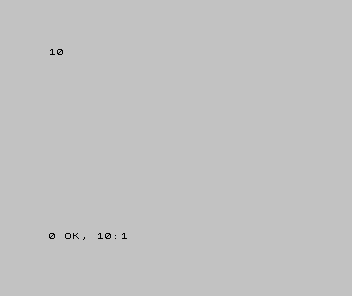
The survivors spell an ordinary number — 00001010 is 10:
10 PRINT BIN 1010
OR — turn switches on
OR gives back a 1 if either bit is 1 — so it’s the tool for setting bits,
forcing chosen switches on while leaving the rest alone:
| A | B | A OR B |
|---|---|---|
| 0 | 0 | 0 |
| 0 | 1 | 1 |
| 1 | 0 | 1 |
| 1 | 1 | 1 |
  00001001     the byte
OR  00000010   set bit 1
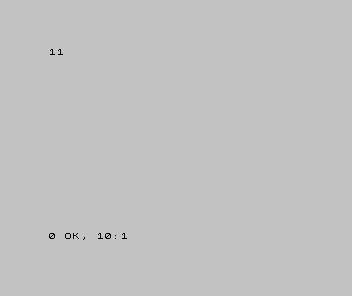
= 00001011 bit 1 is now on; the others are untouched 10 PRINT BIN 1011
XOR — flip the ones you choose
XOR (exclusive-or) gives back a 1 only when the two bits differ. Put a 1 in the
mask and that switch flips; put a 0 and it’s left alone:
| A | B | A XOR B |
|---|---|---|
| 0 | 0 | 0 |
| 0 | 1 | 1 |
| 1 | 0 | 1 |
| 1 | 1 | 0 |
  11111111     the byte
XOR 00001111   flip the low four
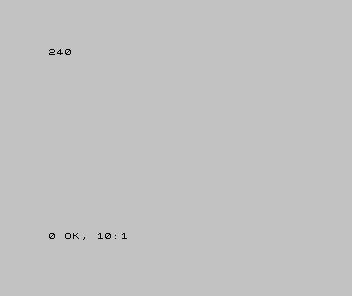
= 11110000 low nibble inverted, high nibble untouched 10 PRINT BIN 11110000
NOT — flip the lot
NOT is the simple one: it flips every bit. A byte of 00001111 becomes
11110000 — and you’ll notice that’s the same flip XOR does with an all-ones mask. NOT is
just XOR against every switch at once.
A warning about BASIC’s words
Spectrum BASIC has the words AND, OR and NOT — but they are the logical kind,
not the bitwise kind. They answer true-or-false questions about whole values, not switch
by switch, so you can’t try these masks with them directly. The bitwise versions are
what assembly hands you, and that’s where you’ll put them to work. (That’s why the
screens above show the results with BIN, not the operations themselves.)
When it’s wrong, see why
- You used BASIC’s
ANDand got a strange whole number, not a mask. That’s the logicalAND, not the bitwise one — different tool, same word. Bit masking happens in assembly, not Sinclair BASIC. - A mask did the opposite of what you wanted. Match the tool to the job: AND with a 0 to clear, OR with a 1 to set, XOR with a 1 to flip. Reach for the wrong one and bits move the wrong way.
- The whole byte changed when you meant to touch one bit. Check your mask — a 1 (or 0) in the wrong column acts on a switch you didn’t mean to.
What you’ve learnt
- Four tools work a byte one switch at a time: AND, OR, XOR, NOT.
- AND masks (keep/clear), OR sets, XOR flips, NOT inverts the lot.
- A mask is just a byte whose 1s mark the switches you mean to act on.
- Sinclair BASIC’s
AND/OR/NOTare logical, not bitwise — the bitwise versions live in assembly.
What’s next
These tools change which switches are on. In Unit 5, the last of this primer, we do something different: slide the whole row of switches sideways — shifting — and see why moving the bits left or right is the machine’s quickest way to multiply and divide.