Numbers That Aren't Whole
Computers count in whole steps, but games need half a pixel. Two ways to carry a fraction — let the point float, or nail it down — and why games nearly always chose the second.
Every number so far has been a whole one. But the moment you write a game, you need the in-between: a ship that drifts half a pixel a frame, a ball at two-thirds speed. The machine counts in whole steps — so how do you give it a fraction? There are two answers, and which one you pick turns out to be a story about speed.
The flexible way: let the point float
The first answer is to let the decimal point float — sit wherever the number needs it, close up for tiny fractions, far out for huge values. It’s wonderfully flexible, and you’ve been using it without knowing: every number in Sinclair BASIC is a floating-point number. Type a fraction and it just works:
10 PRINT 1/3
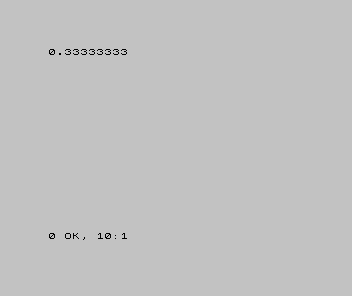
That’s the catch hiding in the convenience: floating-point is only ever an approximation. It gave you eight threes and gave up — there isn’t room for a real third. And there’s a second catch that matters more for games: the processors in these machines have no hardware for floating-point at all. BASIC does every floating-point sum in software, step by laborious step. Flexible, yes — but slow. Far too slow to do dozens of times a frame in a game loop.
The cheap way: nail the point down
So games did the opposite. Don’t let the point float — fix it. Pick a scale — say 256 — and agree, once and for all, that every number you store is really that many 256ths. Then 1.5 isn’t stored as “1.5” at all. It’s stored as 1.5 × 256 = 384 — an ordinary whole number. To read the real value back, you divide by the agreed scale:
10 PRINT 384/256
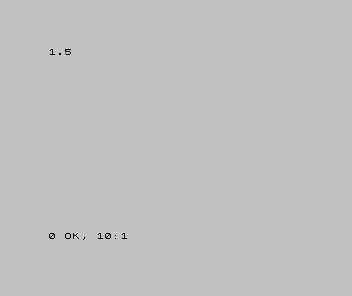
The fraction is being carried as a whole number. That’s the whole trick, and it’s the name: fixed-point.
And the maths is just integer maths
Here’s why that’s such a win. Because fixed-point values are whole numbers, you do arithmetic on them with plain integer addition — the fast kind. Add 1.5 and 0.5: store both scaled (384 and 0.5 × 256 = 128) and just add the integers:
10 PRINT 384+128
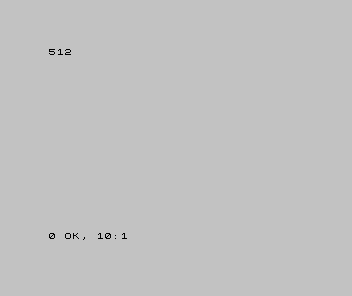
512 is just 2 at our scale, so 1.5 + 0.5 = 2, done with nothing but whole-number addition. And scaling by 256 isn’t even multiplication — 256 is 2⁸, so ×256 is a shift left by eight (Unit 5), and ÷256 a shift right by eight. Fixed-point is built from the two fastest things the machine does: integer maths and shifting.
Why games chose fixed-point
Lay the two side by side. Floating-point is flexible and effortless — BASIC hands it to you free — but it’s approximate, and on these machines it’s slow, done laboriously in software. Fixed-point is a whole number at an agreed scale: fast (the machine’s quickest operations), exact within its range, and a little more bookkeeping for you. In a game moving dozens of objects fifty times a second, speed won every time — so fixed-point is how the smooth motion in very nearly every game on these machines was actually done.
When it’s wrong, see why
- A “float” wasn’t exactly the value you expected. It never is — floating-point stores
the closest it can, not the exact number. Don’t lean on one being precise (that 1/3 is
0.33333333, not a real third). - A fixed-point value printed as a big whole number (384, not 1.5). You forgot to divide by the scale to read it. The scaling is yours to remember — the machine only sees integers.
- The numbers ran out of room. A scale eats range: at ×256, the largest value you can hold is 256 times smaller than the raw integer’s limit. Choose the scale to fit the job — more scale buys finer fractions, less range.
- Two values fought. Adding a ×256 number to a ×16 number gives nonsense. Everything in a sum must share the same scale.
What you’ve learnt
- A fraction can be carried two ways: floating-point (let the point float) or fixed-point (nail it down at an agreed scale).
- Floating-point is flexible and what BASIC gives you free — but approximate and, with no hardware for it, slow.
- Fixed-point stores a fraction as a whole number at a fixed scale, so its maths is plain integer addition and shifts — fast and exact within range.
- Games chose fixed-point because, in a loop, speed won.
Where this leaves you
That’s the primer. You can now look at a number the way the machine does — whole or fractional, positive or negative, in bits or in hex — and work it: mask it, shift it, scale it. None of it is mysterious; it’s switches, and rules you’ve watched run.
This was the on-ramp before the on-ramp. From here the road goes down into a real machine, where hex addresses, bit flags, signed offsets and fixed-point aren’t background facts — they’re the language the code is written in. You’re ready for it now.