Hot and Cold
Map distance to border colour — the core mechanic that makes the game work.
Showing the exact distance as a number makes the game trivial — walk towards zero and you win every time. There’s no mystery, no tension. The classic “hot and cold” solution is far more elegant: replace the number with colour. Blue when you’re far away. Red when you’re getting closer. Yellow when you’re burning hot. The player gets feedback on every move without ever knowing the exact answer.
Distance to Colour
  36 IF d=0 THEN GO TO 100
  38 IF d<=3 THEN BORDER 6
  40 IF d>3 AND d<=7 THEN BORDER 2
  42 IF d>7 AND d<=14 THEN BORDER 3
  44 IF d>14 AND d<=24 THEN BORDER 1
  46 IF d>24 THEN BORDER 0
Each IF statement checks whether d falls in a range and sets the border accordingly:
| Distance | Border | Meaning |
|---|---|---|
| 1-3 | Yellow (6) | Burning |
| 4-7 | Red (2) | Warm |
| 8-14 | Magenta (3) | Cool |
| 15-24 | Blue (1) | Cold |
| 25+ | Black (0) | Freezing |
Because 48K BASIC has no ELSE, we use separate IF statements with explicit range checks using AND. The ranges don’t overlap, so exactly one fires each time.
The Game in Action
10 CLS
20 LET tr = INT (RND * 22)
30 LET tc = INT (RND * 32)
40 LET r = 10
50 LET c = 15
60 REM === game loop ===
70 PRINT AT r, c; "+"
80 LET d = ABS (r - tr) + ABS (c - tc)
90 IF d = 0 THEN GO TO 230
100 IF d <= 3 THEN BORDER 6
110 IF d > 3 AND d <= 7 THEN BORDER 2
120 IF d > 7 AND d <= 14 THEN BORDER 3
130 IF d > 14 AND d <= 24 THEN BORDER 1
140 IF d > 24 THEN BORDER 0
150 LET k$ = INKEY$
160 IF k$ = "" THEN GO TO 150
170 PRINT AT r, c; " "
180 IF k$ = "q" AND r > 0 THEN LET r = r - 1
190 IF k$ = "a" AND r < 21 THEN LET r = r + 1
200 IF k$ = "o" AND c > 0 THEN LET c = c - 1
210 IF k$ = "p" AND c < 31 THEN LET c = c + 1
220 GO TO 70
230 REM === found it ===
240 BEEP 0.5, 12
250 PRINT AT r, c; "*"
260 BORDER 7
270 PRINT AT 23, 0; "You found it!"
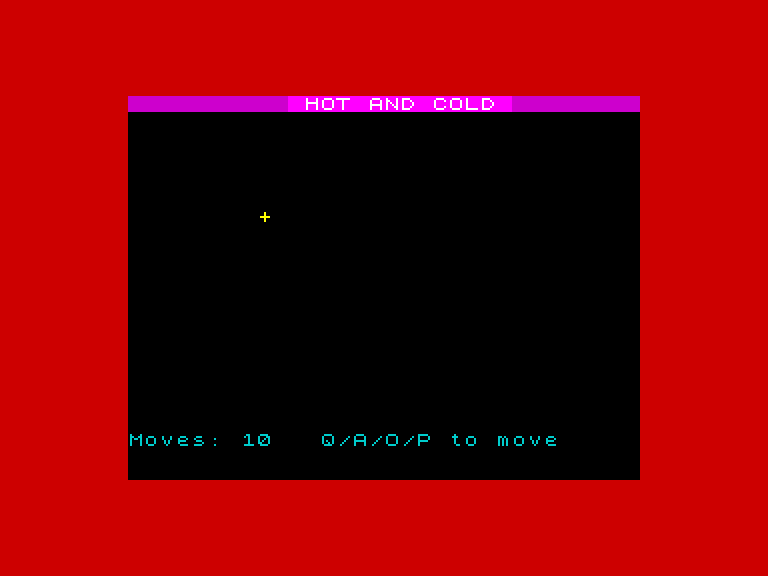
Move the cursor and the border shifts. Start in a corner and the border stays black — freezing, too far to register. Move towards the centre and it turns blue. Keep going in the same direction and it warms to magenta. The room is changing colour as you play. Red appears and suddenly you’re close — the whole border frame is red, the screen feels urgent.
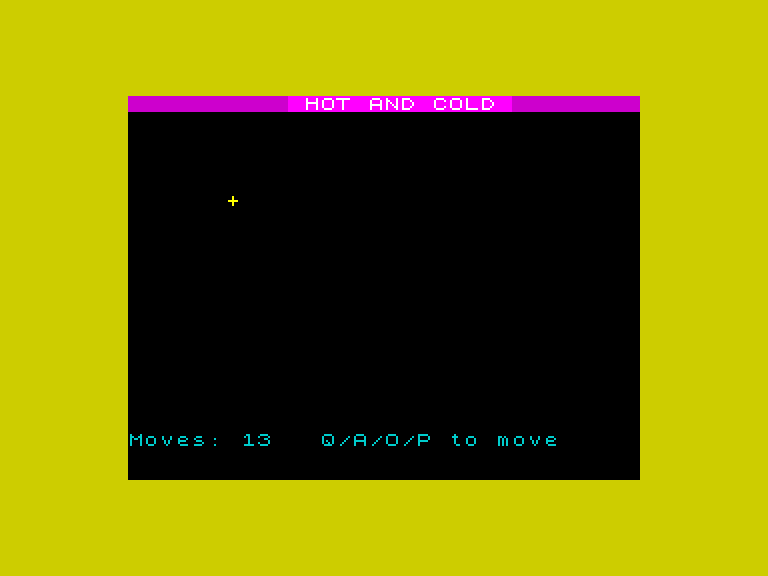
Then yellow. You’re within three steps. One wrong move and it cools back to red — turn around. One right move and it stays yellow. The colour change is instant, on every single keypress, so the game becomes a conversation: you move, the Spectrum responds, you adjust. That back-and-forth is the game.
Why This Works
The border colour gives the player information without giving away the answer. They know they’re getting warmer, but not which direction to go. They have to experiment — move one way, check the colour, try another direction. That process of narrowing down is the game.
The Complete Game Loop
The program now follows the full pattern:
- Draw the cursor
- Calculate distance and set the border colour
- Check if distance is 0 (found it)
- Read input and move
- Repeat
When distance hits 0, line 90 breaks out of the loop. But right now the “found it” code is just a BEEP and a message. The next unit makes the discovery feel like a proper reward.
Try This
Tighter bands. Change the ranges to make the game harder — only show yellow when d <= 1. The player gets less guidance near the treasure.
Add white. Insert IF d <= 1 THEN BORDER 7 before the yellow check. White means “on fire” — one step away.
What You’ve Learnt
- Chained IF statements — mapping a value to ranges without ELSE
- BORDER colour as feedback — the player reads colour instead of numbers
- Distance bands — wider bands when far away, narrower when close
- The complete game loop — draw, calculate, check, input, repeat