The Flash
Reflex begins with a signal. Hold the screen black, wait a beat, then flash it white — the moment the player reacts to. One register does it, and a timing loop sets the wait.
Every reaction game needs a signal — the thing the player is waiting for. Reflex uses the boldest one the C64 has: the whole screen turning from black to white in a single instant. So start there. Hold the screen black, wait a beat, then flash it white.
10 PRINT CHR$(147)
20 POKE 53281,0
30 PRINT "WATCH THE SCREEN..."
40 FOR T=1 TO 800:NEXT T
50 POKE 53281,1
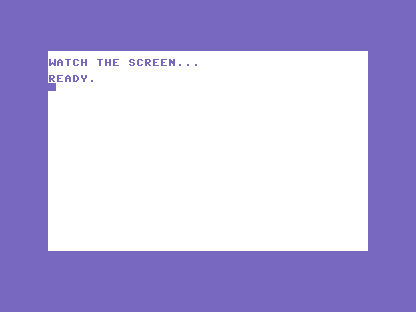
Line 20 sets the screen black and line 50 sets it white, both with POKE 53281 — the register
that holds the background colour, the colour filling the whole screen behind the text.
Write a number to it and the screen changes that instant: 0 is black, 1 is white. You met
this register in the primer; here it does real work.
Between them, line 40 is the wait: FOR T=1 TO 800:NEXT T. The loop counts to 800 and does
nothing else — no drawing, no sound, just time passing. That’s a timing loop, and it’s how
BASIC waits when it has nothing else to do. Eight hundred is about a second on the C64; change
it and the beat moves.
Try this
- Stretch the beat. Change
800to2000and the screen sits black far longer before it flashes. Change it to200and the flash comes almost at once. - A different signal. Flash the screen red (
POKE 53281,2) or yellow (POKE 53281,7) instead of white. Which one grabs your eye fastest?
What’s next
The flash works — but it comes at the same moment every time, so you can learn to expect it. A
reaction test you can predict is no test at all. In Unit 2, RND makes the wait a
different length every run.