Working It Out
The computer does arithmetic — it works things out from what you give it, and it can grow a box from the box's own value. That last trick is how every score climbs.
A program that only shows what you typed isn’t worth much. The turn comes when the
computer works something out — takes values and produces a new one. You saw a hint
of it in Unit 3, when 2 + 2 became 4. Now we do it with values the player gives,
and with a box’s own contents.
A sum from what you’re given
Ask for two numbers, and show their total:
ASK "First number? " INTO a
ASK "Second number? " INTO b
SHOW "The total is ", a + b
In BASIC:
  10 INPUT "First number? "; a
  20 INPUT "Second number? "; b
  30 PRINT "The total is "; a + b
Run it and type 7, then 5:
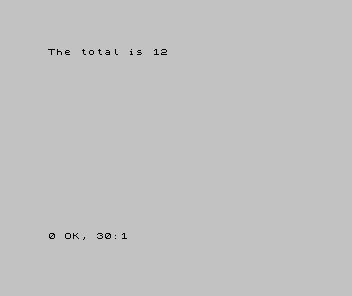
The program didn’t know the answer when you wrote it. It couldn’t — the numbers come
from the player. a + b is an instruction to work it out from whatever the boxes hold
when that line runs. The same line gives 12 today and 109 tomorrow, depending on the
answers. Arithmetic is +, -, * (multiply) and / (divide); the idea — compute a
new value from existing ones — is the same in every language.
A box that grows from itself
Here is the pattern that does the real work in games — and the moment that odd warning
from Unit 4 earns its keep. Remember: = means “put this in the box”, not “equals”.
Watch:
  10 LET score = 0
  20 PRINT "Score: "; score
  30 LET score = score + 10
  40 PRINT "Score: "; score
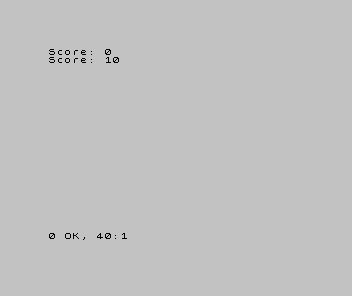
Line 30 is LET score = score + 10. As a statement of equality that is nonsense —
nothing equals itself plus ten. But it was never equality. As an instruction it is
perfectly clear: take what’s in the box score, add ten, and put the result back in
the box. The right-hand side is worked out first, using the box’s current value;
then that result is stored back in the same box.
That one move — a box updated from its own value — is how every score climbs, every
total mounts up, every life count falls (lives = lives - 1). Hold onto it; you’ll
write it in every game you ever make.
When it’s wrong, see why
- You get
0, or a wrong total. You added the numbers before both were in their boxes, or used the wrong box name. The boxes must hold values before the line that adds them — order, from Unit 2. - The sum is joined as text, giving
75instead of12. You wrapped the expression in quotation marks, so it was shown as text instead of worked out (Unit 3). Drop the quotes from the part you want calculated. score = score + 10looks wrong to you. Good — it is wrong as maths. Read it as the instruction it is: “new score is old score plus ten.” If you still try to read=as “equals”, it will trip you for months; read it as “put into”.
What you’ve learnt
- The computer does arithmetic —
+ - * /— working a new value out from existing ones, at the moment the line runs. - It can compute from values the player gives, so the same program gives different answers for different input.
- A box can be updated from its own value —
score = score + 10. That’s the accumulator, the engine of every score and counter. =is “put into the box”, not “equals” — which is exactly why a box can grow from itself.
What’s next
The program can work things out — but it still does the same steps no matter what the numbers are. In Unit 7 it learns to decide: to do one thing if a value passes a test and something else if it doesn’t. That’s the moment a program can react — and the start of an actual game.