Ten Fingers, Two Wires
Why we count in tens but the machine counts in twos — and how a row of on/off switches becomes any number you like, from a single bit up to a byte's 255.
You already know how to count. What you might not have noticed is why you count the way you do — and that the machine, given different equipment, counts a different way. Get that one idea straight and binary stops being strange.
Ten is a habit
We count in tens. Three hundred and sixty-five is 3 hundreds, 6 tens, and 5 ones — each place worth ten times the one to its right. We do this so naturally it feels like the only way numbers could work.
It isn’t. We count in tens for an accident of anatomy: we have ten fingers. Ten was never special to the numbers themselves — it was special to us. Change the hands and you change the habit.
The machine has two fingers
A computer’s “fingers” are wires, and a wire has just two states: current flowing, or not. On, or off. 1, or 0. That single on-or-off is the smallest piece of information there is, and it has a name — a bit.
One bit can’t say much. On or off; yes or no; 1 or 0. To count past one, the machine does exactly what you do when you run out of fingers on one hand: it uses more.
Counting past one
Line up several bits and give each a place — and here’s the only twist: because there are two states per place instead of ten, each place is worth twice the one to its right, not ten times. So the places go 1, 2, 4, 8, 16, and on up, doubling each step.
Read the switches 1 0 1: that’s one 4, no 2, and one 1 — which adds up
to 5. Spectrum BASIC lets you type the switches straight in with the word BIN,
and tells you the everyday number they make:
10 PRINT BIN 101
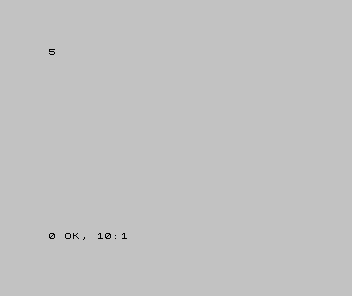
The pattern is the number. BIN doesn’t do a calculation you couldn’t do yourself;
it just reads the switches the machine’s way and shows you the answer in yours.
Turn another switch on
Place value isn’t a rule to memorise — it’s something you can watch. Add a switch on the left, in the next place up (the 8s), and the number should jump by eight:
| 1 | - | 10 PRINT BIN 101 | |
| 1 | + | 10 PRINT BIN 1101 | |
| 2 | 2 | |
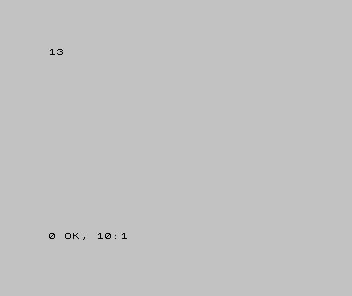
Five became thirteen — a jump of eight, because the switch we turned on sits in the 8s place. Every switch is worth its place and nothing else; turning one on adds that place’s value, every time.
Eight of them make a byte
Bits almost never travel alone. The machine handles them in groups of eight, and a group of eight bits has its own name you’ll meet on every page from here: a byte.
How high can eight switches count? Turn them all on:
10 PRINT BIN 11111111
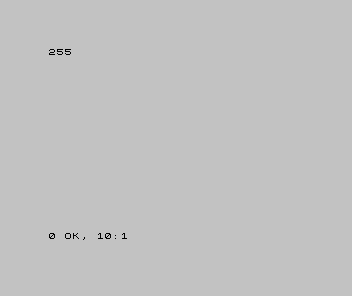
128, 64, 32, 16, 8, 4, 2, 1 — add them up and you get 255. That’s the most a single byte can hold, and it’s the reason 255 (and its near neighbour 256) seem to haunt computing: colour values, character counts, the highest score that “rolls over.” Now you know where the number comes from — it’s just eight switches, all on.
When it’s wrong, see why
BINreports an error. It accepts only 0s and 1s — those are the only states a switch has. A stray2(or any other digit) in there isn’t a binary number, so the machine stops. Check that every digit afterBINis a 0 or a 1.- The number is far bigger or smaller than you expected. You may be reading the switches the wrong way round. The rightmost switch is the 1s, and the places grow as you move left. Read right-to-left, not left-to-right.
- A leading zero seems to do nothing. That’s correct —
BIN 0101andBIN 101are the same number, exactly as 0007 and 7 are. A zero on the far left adds an empty place worth nothing.
What you’ve learnt
- We count in tens out of habit — ten fingers — not because numbers demand it.
- A bit is one switch: on or off, 1 or 0, the smallest piece of information there is.
- Line bits up and each place is worth twice the one to its right (1, 2, 4, 8…), so a pattern of switches spells an ordinary number.
- Eight bits make a byte, which counts from 0 to 255 — the number behind a thousand limits you’ll meet later.
BINin Spectrum BASIC is the universal idea made concrete: type the switches, read the number.
What’s next
You can now write a number in twos as well as tens. In Unit 2 we add the third way the machine’s world is written — hexadecimal — and see why programmers reach for it constantly: it’s the shorthand that makes a row of eight bits readable at a glance.