Four Bits at a Time
Binary is honest but exhausting to read. Hexadecimal groups bits into fours so a whole byte fits in two symbols — the shorthand programmers reach for, and why counting runs past nine into A to F.
You can now write a number in switches. The trouble is reading it back.
11111111 — quick, how many ones? You had to count. Binary tells the whole truth, but
eight switches in a row is a lot to take in at a glance, and programmers stare at these
all day. They needed a shorthand — one that stays honest about the bits. That shorthand
is hexadecimal, and it works by chopping the row into pieces of four.
Decimal hides the bits
Why not just read the byte in ordinary tens? Because decimal doesn’t line up with
switches. 11111111 is 255 — but 255 tells you nothing about which switches are on.
Turn one off and you get 254; the decimal barely budges, while the bit pattern changed
in a clear, specific place. We want a shorthand where the writing still shows the
switches. Tens can’t do that. Fours can.
Group the bits in fours
Split a byte down the middle into two halves of four bits each. Four bits has its own name — a nibble (half a byte; yes, really). How high does one nibble count? All four on:
10 PRINT BIN 1111
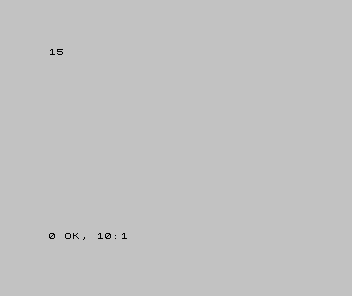
A nibble runs 0 to 15 — sixteen values. And that is the whole idea of hex: give each nibble a single symbol, so four bits become one character.
Sixteen needs sixteen symbols
Here’s the snag: we only have ten digits, 0 to 9. Sixteen values need sixteen symbols, so hex borrows the first six letters for the values past nine — A is ten, B eleven, on up to F for fifteen:
| Bits | Decimal | Hex |
|---|---|---|
| 0000 | 0 | 0 |
| 0101 | 5 | 5 |
| 1001 | 9 | 9 |
| 1010 | 10 | A |
| 1100 | 12 | C |
| 1111 | 15 | F |
So A to F aren’t letters here — they’re digits, the ones we ran out of symbols for.
F just means “a full nibble, all four on.”
A byte is two hex digits
Two nibbles make a byte, so a byte is exactly two hex digits. All eight switches on:
10 PRINT BIN 11111111
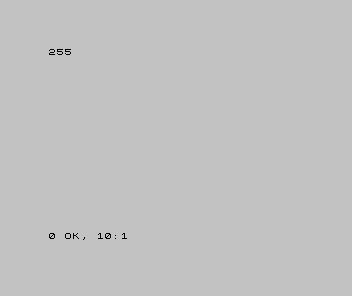
255 is FF — F for the high nibble, F for the low. Now watch what hex shows that
decimal hid. Turn the low nibble off and leave the high one on:
| 1 | - | 10 PRINT BIN 11111111 | |
| 1 | + | 10 PRINT BIN 11110000 | |
| 2 | 2 | |
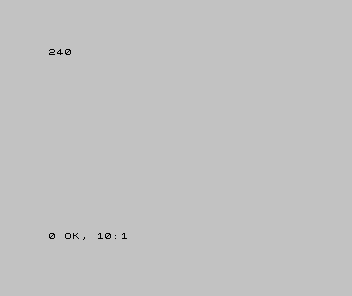
In decimal, 255 became 240 — an odd jump that hides what happened. In hex it went FF
to F0, and the change is right there in the second digit: the low nibble emptied. That
is hex’s whole appeal — each digit is one nibble, so you read the bits straight off.
Why programmers reach for it
- It lines up with bits — one hex digit is exactly four switches, so
F0means “high four on, low four off” at a glance. - It’s short — a byte is two characters instead of eight.
- It’s everywhere — memory addresses, colour values, the bytes of machine code are almost always written in hex, precisely because it shows the bits.
When it’s wrong, see why
- A hex digit above F. There isn’t one. Hex runs 0–9 then A–F and stops — that’s sixteen symbols for sixteen values. A “G” is not a hex digit.
- Reading hex
10as ten. It isn’t — hex10is one full nibble’s worth past F, which is sixteen. A leading hex digit counts in sixteens, not tens. (Context tells you which base is meant; later you’ll see markers like$or0xthat say “this is hex”.) - Mixing up the halves. The left hex digit is the high nibble (the bigger four bits), the right is the low nibble — same direction as everything else: big on the left.
What you’ve learnt
- Hex is base sixteen: one symbol per nibble, so four bits become one character.
- Counting runs 0–9 then A–F — the letters are just the digits past nine (A = 10 … F = 15).
- A byte is two hex digits, 00 to FF — and
FFis 255, the all-on byte from Unit 1. - Hex earns its keep because it shows the bits where decimal hides them.
What’s next
Every number so far has been zero or positive. But programs need negatives too — and the machine has no minus sign, only switches. In Unit 3 we’ll see the clever trick it uses to write a minus with nothing but bits: two’s complement.