Changing What It Says
Change the game's messages, feedback text, and scoring tiers — your first look at PRINT and strings.
Lucky Number talks to the player. “Too low!” “Too high!” “YOU GOT IT!” “Incredible!” Every one of those messages is a string inside a PRINT command. Change the string, change what the game says.
This unit is about finding those strings and making them yours.
Find the Feedback
Look at lines 660 and 670 in your program. You can type LIST 660 to jump straight there.
Line 660 prints “Too low!” when the guess is below the secret number. Line 670 prints “Too high!” when it’s above. The text between the quotation marks is what appears on screen.
Change them:
 660 IF g<n THEN PRINT AT 13,2; INK 6; BRIGHT 1;"Warmer...": PRINT AT 14,2; INK 5; BRIGHT 0;"Guess higher."
 670 IF g>n THEN PRINT AT 13,2; INK 3; BRIGHT 1;"Cooler...": PRINT AT 14,2; INK 5; BRIGHT 0;"Guess lower."
Type RUN, get past the title screen, and guess too high.
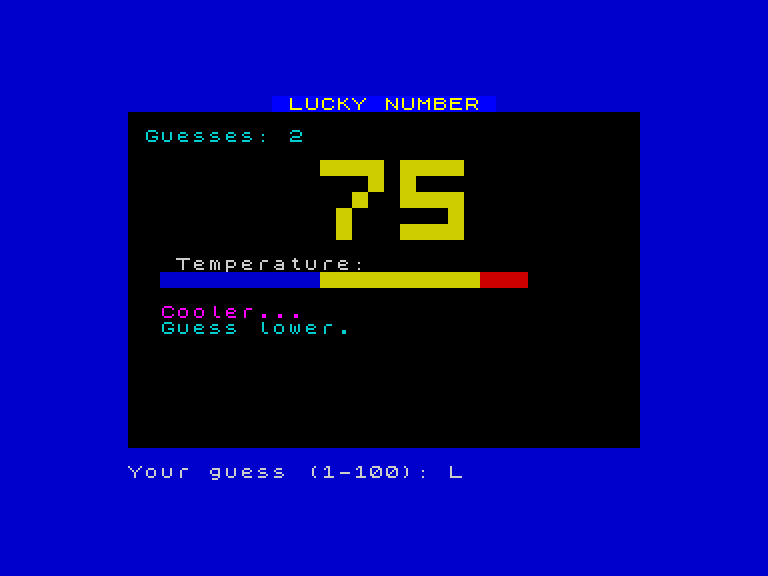
“Cooler…” appears in magenta. Guess too low and “Warmer…” appears in yellow. The game says what you told it to say.
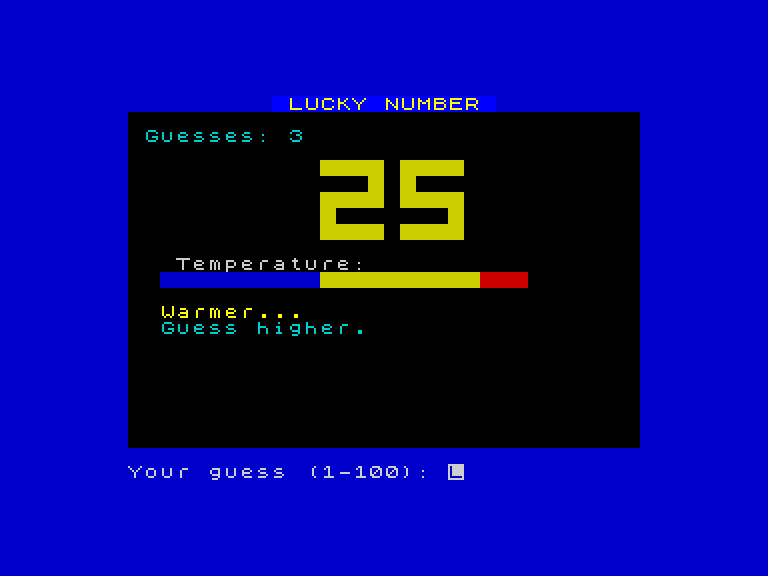
Try your own messages. “Getting hotter!” “Way off!” “Almost!” — anything you like, as long as it’s between the quotation marks.
Change the Victory
Line 850 is the moment the player wins. Change it:
850 PRINT AT 13,7; INK 4; BRIGHT 1; FLASH 1;" NAILED IT! "; FLASH 0
Play through to a win and your message flashes on screen in bright green.
Rewrite the Scoring
Lines 880-896 are the scoring tiers — the rating the game gives based on how many guesses you took. Change all four:
 880 IF c<=5 THEN PRINT AT 18,7; INK 2; BRIGHT 1;"Legendary!"
 890 IF c>5 AND c<=8 THEN PRINT AT 18,7; INK 6;"Brilliant!"
 895 IF c>8 AND c<=12 THEN PRINT AT 18,7; INK 5;"Not bad!"
 896 IF c>12 THEN PRINT AT 18,7; INK 4;"Room for improvement!"
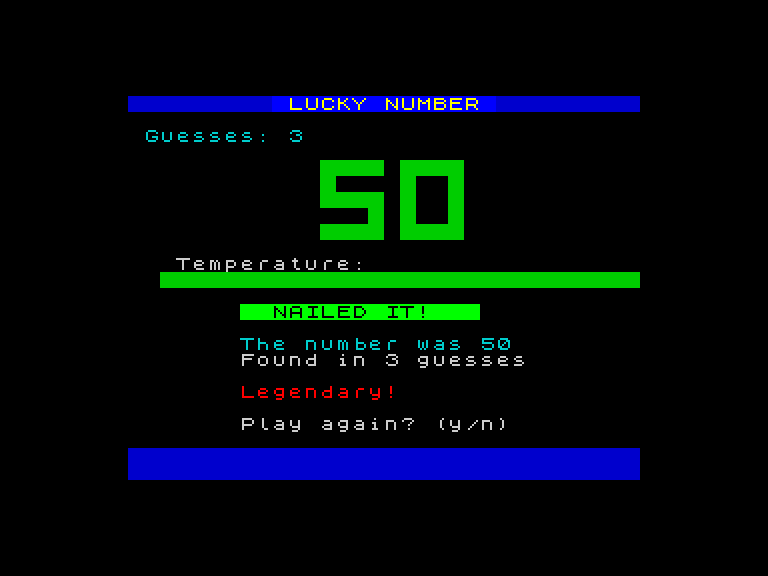
“NAILED IT!” flashes. “Legendary!” appears below. The game feels different — because the words are yours.
What’s Actually Happening
Every message on screen comes from PRINT. The text between the quotation marks is called a string. The Spectrum prints it exactly as written — letters, spaces, punctuation, everything.
To see this at its simplest, type NEW to clear the program, then type these two lines:
  10 PRINT "Hello"
  20 PRINT "World"
Type RUN.
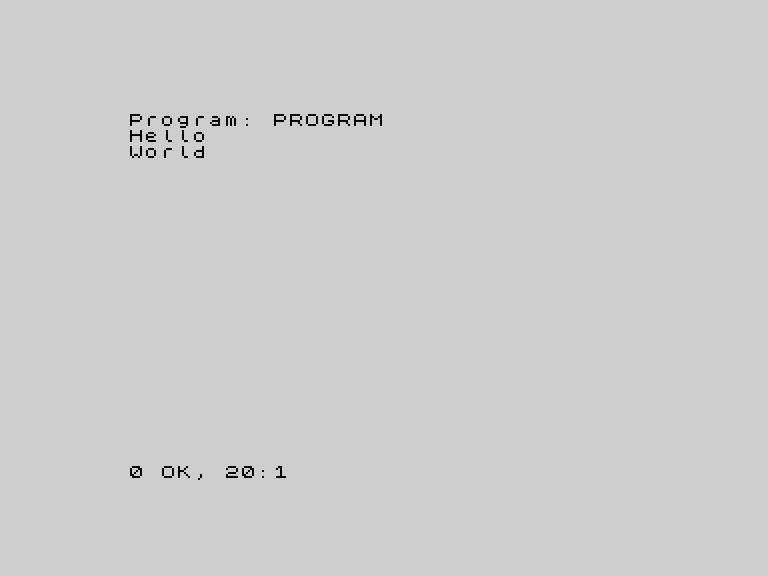
Two PRINT statements, two lines of output. The Spectrum ran line 10 first, then line 20, in order. That’s all PRINT does — it puts text on screen.
In Lucky Number, PRINT does the same thing, just with colour and positioning added (the INK, BRIGHT, and AT parts that surround the string). You’ll learn those in later units. For now, the string — the text between the quotes — is the part you control.
Line Numbers Control Order
Notice that the Spectrum always runs lines in number order. Line 10 before line 20. Line 660 before line 670. It doesn’t matter what order you type them in — if you type line 20 first and line 10 second, the output is the same.
This is why line numbers matter. They’re not just labels. They’re the sequence.
Try This
- Change the “Guess higher.” and “Guess lower.” hints on lines 660 and 670 to something more playful.
- Change the play-again prompt on line 898 — make it say something other than “Play again? (y/n)”.
- Change the “Thanks for playing!” message on line 930.
- Count how many PRINT statements are in the whole program. (Type
LISTand scroll through.)
What You’ve Learnt
- PRINT — displays text on screen, exactly as written between quotation marks
- Strings — the text between
"and"in a PRINT statement - Changing strings — retype the line with new text between the quotes; the game says something different
- Line numbers — the Spectrum runs lines in number order, regardless of the order you typed them
- LIST — shows the program in memory;
LIST 660jumps to a specific line