Asking the Player
Add a name prompt and personalise the win screen — your first look at INPUT and string variables.
Without INPUT, the program runs and the player watches. With INPUT, the program stops and listens. The player types something, the program remembers it, and the game changes. INPUT is what makes a program interactive.
Lucky Number already uses INPUT — line 400 asks for your guess. But you can add more.
Change the Guess Prompt
Find line 400:
400 INPUT "Your guess (1-100): ";gThe text between the quotation marks is the prompt — what the player sees. The g after the semicolon is the variable that stores whatever they type. Change the prompt:
400 INPUT "Pick a number: ";g
Type RUN and play. The new prompt appears at the bottom of the screen. The game works the same — only the words changed.
Ask for a Name
Add a new line before the game starts:
270 INPUT "What is your name? "; p$
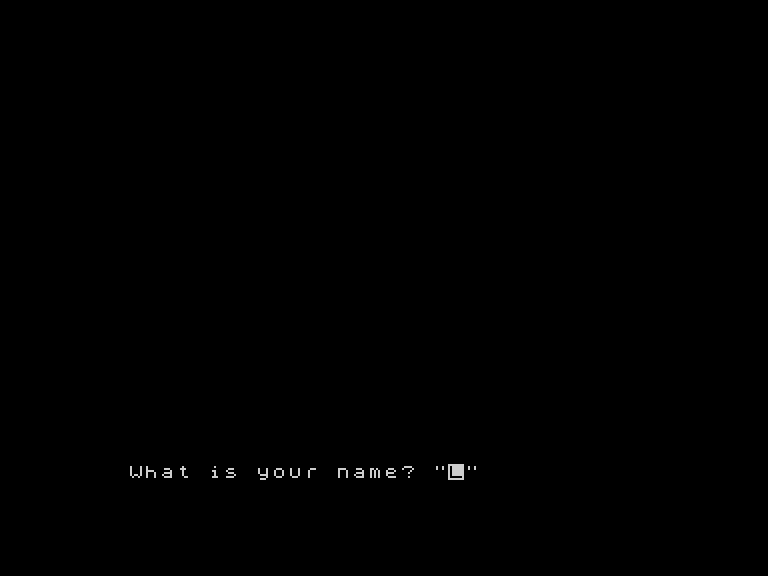
Type RUN. Before the game screen appears, the Spectrum asks “What is your name?” and waits. Type your name and press ENTER.
The variable p$ now holds whatever you typed. The $ at the end of the name means this is a string variable — it holds text, not a number. g holds a number (your guess). p$ holds a string (your name). The Spectrum keeps them separate.
Personalise the Win Screen
Now use the name. Change line 870:
870 PRINT AT 16,7; INK 7;"Well done, ";p$;"!"
The semicolons join the pieces together: the text "Well done, ", then the value of p$ (your name), then "!". Three pieces, printed as one line.
And change the play-again prompt on line 898:
898 PRINT AT 20,5; INK 7;"Play again, ";p$;"? (y/n)"
Play through to a win.
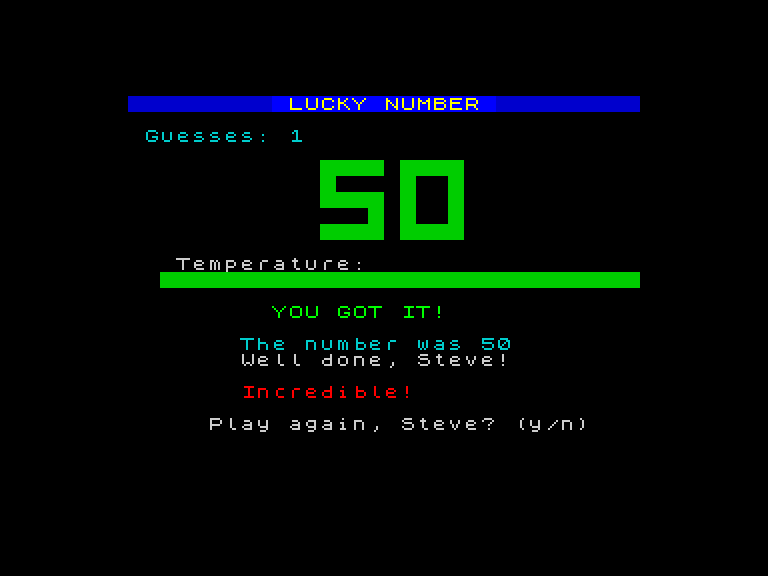
The game knows your name. It greets you when you win and addresses you by name when asking to play again. One variable — p$ — and the game feels personal.
How INPUT Works
To see INPUT at its simplest, type NEW then:
  10 INPUT "What is your name? "; n$
  20 PRINT "Hello, ";n$;"!"
Type RUN. The Spectrum asks for your name, waits for you to type, then prints “Hello, ” followed by whatever you entered.
INPUT does two things:
- Shows a prompt — the text between quotation marks
- Stores the answer — in the variable after the semicolon
If the variable ends with $, the answer is stored as text (a string). If it doesn’t, the answer is stored as a number. In Lucky Number, INPUT "Pick a number: ";g stores a number. INPUT "What is your name? "; p$ stores a string.
Numbers vs Strings
You’ve now seen both kinds of variable:
| Variable | Type | Holds | Example |
|---|---|---|---|
g | Number | A numeric value | 42 |
n | Number | A numeric value | 50 |
pc | Number | A numeric value | 6 |
p$ | String | Text | "Steve" |
Number variables hold values you can do maths with. String variables hold text you can print. The $ suffix is how the Spectrum tells them apart.
Try This
- Change the name prompt to ask something different — “Enter your codename: ” or “Who dares play? ”
- Add a second INPUT after the name:
275 INPUT "Pick a difficulty (1-3): "; diff. You won’t usedifffor anything yet, but the game asks the question. - What happens if you type a number when the game asks for your name? (It works — numbers are valid text.)
- What happens if you type text when the game asks for a number? (The Spectrum shows an error and asks again.)
What You’ve Learnt
- INPUT — stops the program, shows a prompt, and stores the player’s answer in a variable
- String variables — names ending in
$hold text (p$,k$); names without$hold numbers (g,n) - Joining strings — semicolons in PRINT connect multiple pieces:
"Well done, ";p$;"!" - Interactivity — INPUT is what turns a program into a conversation; without it, the player just watches