Wait and Respond
The simplest reaction test — wait for a signal, press any key. No timing yet, just the shape.
Every game so far has waited for the player to finish typing before doing anything. INPUT stops the program dead until you press Enter. Real-time games cannot work that way — they need to check the keyboard without stopping. Meet BASIC covered INPUT, PRINT, loops and colour, but held this one command back on purpose: a reaction test is the first place it earns its keep.
  10 BORDER 0: PAPER 0: INK 7: CLS
  20 RANDOMIZE
 100 CLS
 110 PRINT "Get ready..."
 200 PAUSE INT (RND * 100) + 50
 220 PRINT "NOW!"
 240 IF INKEY$ = "" THEN GO TO 240
 300 PRINT "You pressed!"
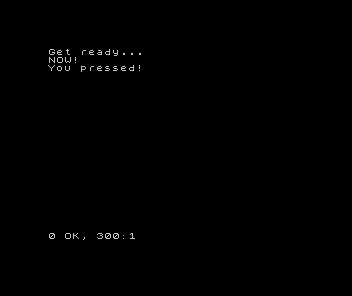
Run it. “Get ready…” appears. A random pause — you do not know how long. Then “NOW!” Press any key. “You pressed!”
INKEY$
Line 240 is the new idea: IF INKEY$ = "" THEN GO TO 240.
INKEY$ checks the keyboard right now, without waiting. If no key is pressed, it returns an empty string "". If a key is pressed, it returns that key’s character.
The line says: “If no key is pressed, check again.” It creates a tight loop that spins until the player presses something. Unlike INPUT, the program does not stop — it keeps running the loop, checking every pass.
This is polling — asking the same question repeatedly until the answer changes. Every real-time game polls the keyboard (or joystick) inside its game loop. INKEY$ is the Spectrum’s polling command.
The random wait
Line 200: PAUSE INT (RND * 100) + 50. The pause is between 50 and 149 frames — roughly 1 to 3 seconds. The player cannot predict when “NOW!” will appear, so they cannot cheat by pressing early.
Try removing the randomness: PAUSE 100. Run it three times. You start to anticipate the timing — the tension drains away. The random delay is what makes the reaction genuine.
Next: measuring how fast the player was.