LET, and the First Two Letters
Give the program a memory: LET names a box that holds a value. Meet the C64's naming rules — strings end in $, and the surprise that only the first two letters of a name count, so CASH and CARD are the same box.
So far the screen only shows what you typed into the program. A variable gives the
program a memory: a named box that holds a value you can set, read, and change. LET
makes one.
Milestone 1 — a named box
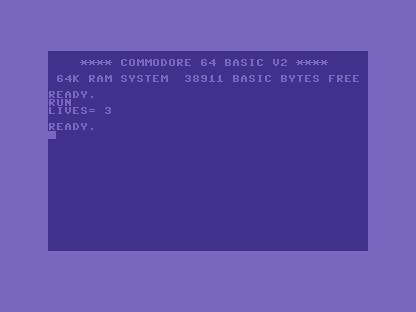
10 LET LIVES=3
20 PRINT "LIVES=";LIVES
Line 10 puts 3 in a box called LIVES; line 20 prints a label and then the box’s value.
RUN it: LIVES= 3. The name LIVES stands in for the number wherever you use it — that
is the whole point of a variable.
(The word LET is optional on the C64 — LIVES=3 works on its own. We’ll write LET in
the primer because it says out loud what’s happening: let this name hold this value.)
Milestone 2 — the first-two-letters trap
Here is the C64’s biggest naming surprise, and it bites everyone once. Watch:
10 LET CASH=10
20 LET CARD=99
30 PRINT "CASH=";CASH
You set CASH to 10, then CARD to 99, then print CASH. You’d expect 10. Run it:
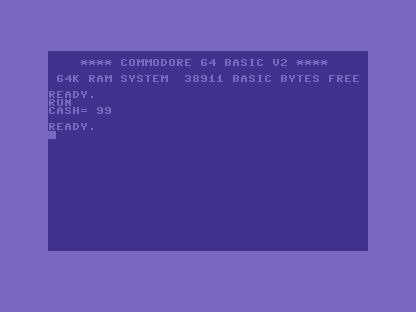
CASH came out as 99 — the value you put in CARD. The C64 only looks at the first
two letters of a variable name. CASH and CARD both begin CA, so they are the same
box; setting CARD overwrote CASH. You may type long, readable names — and you should,
for yourself — but the machine only distinguishes them by the first two characters. Keep
those two unique (SC for score, LV for lives) and you’ll never be caught.
Milestone 3 — words need a dollar
A box can hold text instead of a number, but you must mark it: a string variable ends
in $.
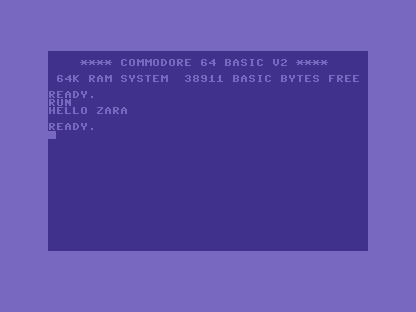
10 LET N$="ZARA"
20 PRINT "HELLO ";N$
N$ holds the word "ZARA"; the text goes in quotes. RUN it: HELLO ZARA. The $ is
part of the name — N (a number) and N$ (a string) are two different boxes. Put a number
into a $ name, or text into a plain one, and the C64 answers ?TYPE MISMATCH ERROR.
When it doesn’t work
- Two names that should differ share a value. Their first two letters match — the
classic
CASH/CARDcollision. Rename one so the first two characters differ. ?TYPE MISMATCH ERROR. You mixed kinds — text into a number box, or a number into a$box. Numbers go in plain names; text goes in$names.?SYNTAX ERRORon a sensible-looking name. A variable name may not contain a BASIC keyword —SCOREis fine, butTOTALhidesTOand trips it; andTI,TI$andSTare reserved by the C64 (the clock and status), so you can’t use them for your own boxes.
Before and after
You started with a program that could only print fixed words and finished with one that
remembers — numbers in plain boxes, text in $ boxes. The idea underneath: LET names a
box; the C64 tells boxes apart by their first two letters and by whether the name ends in
$. Names are for you; keep the first two letters distinct and the machine agrees with
you.
Try this
- Two scores. Make
SCOREandSCREENand set them to different numbers, then print both. Watch them collide (SC), then rename one to break it. - Build a greeting. Ask nothing yet — just
LET A$="..."with your name and print"HI ";A$. - Provoke the mismatch. Try
LET N$=5and read the?TYPE MISMATCH ERROR.
What you’ve learnt
LETnames a box that holds a value (andLETitself is optional).- The C64 distinguishes variable names by their first two characters only.
- A string variable ends in
$and holds text;NandN$are different boxes. - Names can’t embed keywords, and
TI/TI$/STare reserved.
What’s next
Your boxes are filled by the program itself. In Unit 5 we let the person at the
keyboard fill them: INPUT, where the program stops, waits, and takes what’s typed.