Catch It Instantly
INPUT makes the player press RETURN — two actions where a reaction test wants one. GET catches a single keypress the moment it lands, no RETURN at all. The timing finally feels honest.
The last version measured a real time, but it cheated the player: INPUT made them type and
press RETURN. That RETURN is an extra beat, and in a reaction test every beat counts. What you
want is a command that notices a key the instant it goes down. That command is GET.
10 PRINT CHR$(147)
20 POKE 53281,0
30 PRINT "WATCH THE SCREEN..."
40 W=INT(RND(1)*120)+60
50 FOR T=1 TO W*8:NEXT T
60 POKE 53281,1
70 TI$="000000"
80 GET A$:IF A$="" THEN 80
90 RT=TI
100 POKE 53281,0
110 PRINT
120 PRINT "YOUR TIME:";RT;"JIFFIES"
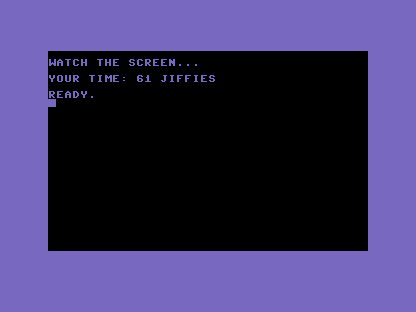
Only line 80 changes, but it changes everything: GET A$:IF A$="" THEN 80. GET looks at the
keyboard once and returns straight away — if a key was down it lands in A$, and if not, A$
comes back empty. On its own it wouldn’t wait at all; the trick is IF A$="" THEN 80, which
loops the line back to itself for as long as nothing’s been pressed. The moment a key goes
down, A$ is no longer empty, the loop falls through, and line 90 reads the clock.
Notice what’s gone: no ? prompt, no RETURN, no echo of what you typed. The keypress itself
ends the wait. This little GET/IF/loop-back is one of the most useful patterns in BASIC —
“wait here until a key is pressed” — and you’ll reach for it in every game from here on.
Try this
- Prove it’s instant. Run it and tap any key the moment the screen flashes. The time should
drop well below what
INPUTgave you — the RETURN was costing you jiffies. - Name the key. After the loop, add
PRINT "YOU PRESSED ";A$—GETcaught which key it was, not just that one was pressed.
What’s next
A time in jiffies is precise, but “61 jiffies” means little to a human. In Unit 5 you turn jiffies into seconds — the unit we think in.