AMOS Makes a Sound
A game you can't hear is half a game. AMOS comes with sound effects built in — an explosion, a laser, a bell — each a single word you drop in wherever something happens. Give your hits and pickups a noise, and the screen comes alive.
You’ve built everything a game’s action needs — movement, input, collision. But run it and it’s silent, and silence is half a game missing. A coin should ping, a hit should thud, a laser should zap. On most machines, sound is a fiddly business of poking chip registers by hand. AMOS spares you all of it: it ships with ready-made effects, each fired by a single word. This unit is the gentlest possible introduction — three built-in noises, three keywords — and it’s all you need to make your game heard.
What you’ll hear by the end
Three sounds in a row: a low Boom, a zappy Shoot, and a clear Bell — none of which you had to build. They’re part of AMOS, waiting for you to call them.
What you’ll see by the end
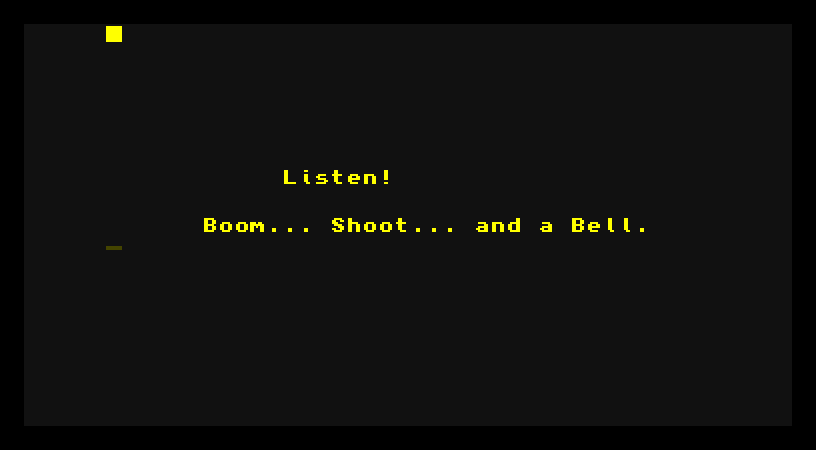
The whole program
Hide
Screen Open 0,320,200,16,Lowres
Colour 0,$111
Colour 1,$FF0
Cls 0
Pen 1
Paper 0
Locate 11,9
Print "Listen!"
Locate 6,12
Print "Boom... Shoot... and a Bell."
Boom
Wait 40
Shoot
Wait 40
Bell
Wait Key
After putting a label on screen, the program plays three sounds:
Boom
Wait 40
Shoot
Wait 40
Bell
That’s the whole thing. Three keywords, three noises:
Boomplays a deep explosion — the sound of something blowing up.Shootplays a laser-style zap — a shot fired.Bellplays a clear, bright tone — handy for a pickup, a point scored, or a menu beep.
Each one is a complete sound effect built into AMOS. You don’t describe the sound, set a pitch, or load anything — you just name it, and it plays. The Wait 40 between them is there only so they don’t all fire at once; it pauses about three-quarters of a second (40 fiftieths) so you can hear each in turn.
A noise is just a keyword
That’s the lesson, and it’s a short one: in AMOS, a sound effect is a word you drop in wherever something happens. Remember unit 14’s collision test? This is its natural partner:
If Bob Col(1,2 To 2) Then BoomWhen the bobs hit, boom. The sound goes right where the event is — one word, slotted into the If that already detects the hit. A pickup becomes If Bob Col(...) Then Bell; a shot fired becomes If Fire(1) Then Shoot. The effect rides along with the thing it’s reacting to.
There’s more underneath
Boom, Shoot and Bell are the instant, no-effort sounds — but they’re the doorway, not the whole house. AMOS can also play musical notes, load and play recorded samples, and run background music while your game carries on. You don’t need any of that yet; the three built-in effects are enough to make a first game feel alive. When you want a tune or a sampled voice later, AMOS has the keywords waiting — same idea, a word that makes a sound.
Type it and run it
Type the program in and press F1, and listen. The three sounds play in turn. Press a key to return to the editor. (Make sure your emulator’s sound is switched on and turned up.)
Try this: react to a key
Earlier you read the joystick; you can fire a sound the same way. Wrap the sounds in a loop that listens for the fire button:
Do
   If Fire(1) Then Boom
   Wait Vbl
Loop
Now every press of fire sets off an explosion. That’s exactly how a game ties a sound to an action — detect the thing, name the noise.
Try this: a different mix
Swap the order, or use one sound twice — Shoot, then Shoot again, then Boom, for a two-shots-and-a-hit little sequence. Hearing how the effects sit together is the start of giving a game its own voice.
If it doesn’t work
- You see the text but hear nothing. Check your emulator’s sound is enabled and the volume is up — this is the one unit where a silent setup hides the whole point.
- All three sounds blur into one. The
Waitlines between them are missing. Without them the three fire almost together; the waits space them out. - AMOS complains about a keyword.
Boom,ShootandBellare each a single word on their own line — check the spelling.
What you’ve learnt
A game needs to be heard, and AMOS makes that effortless. Boom, Shoot and Bell are complete sound effects, each fired by a single keyword — no chip-poking, no setup. Drop one wherever something happens — most naturally right inside the If that detects a hit or a press — and the action gains a voice. Beneath these three sit notes, samples and music for later, all reached the same way: a word that makes a sound.
What’s next
You’ve made something worth keeping — so let’s keep it. Next — Keeping Your Work — saving your program to disk and loading it back, so the thing you wrote survives being switched off.