
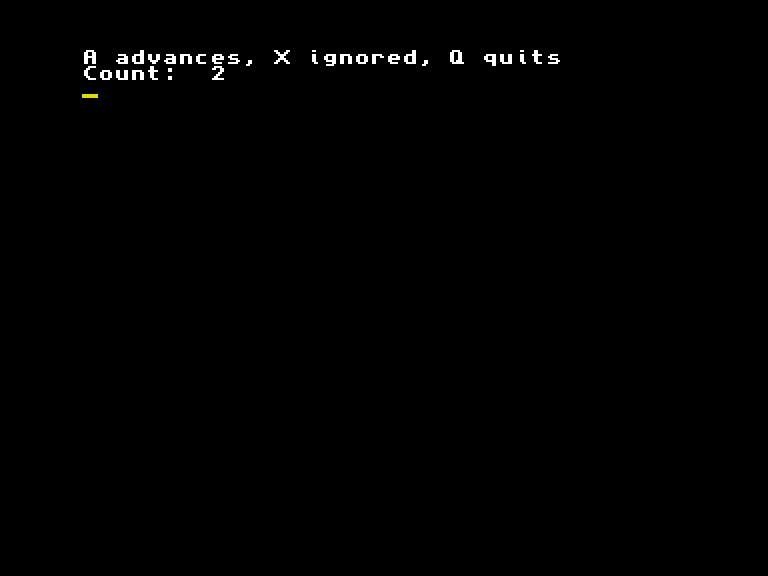
Press A twice and the counter reaches 2. Press X between those actions and it stays put. That tiny rule is enough to organise an adventure, a puzzle or a turn-based game: read a decision, decide whether it counts, change the game, then show the result.
This version uses AMOS Professional 2.00. It is an untimed command loop. Waiting longer does not take another turn. A turn deadline, independent animation or music servicing would need an additional clock or service path; this caller does not provide one.
Put it in your project
These are two pieces of one program, not two executables. Put the caller first and append the routines after End. The complete demo.amos in the source folder already does that. End prevents execution falling into a subroutine and reaching Return without a matching call.
Rem AMOS Professional 2.00. Paste routines after End.
Hide
Palette $000,$FFF
Paper 0 : Pen 1
Cls 0
PL_COUNT=0 : PL_STEP=1 : PL_LASTSCAN=-1
Repeat
   Locate 0,0
   Print "A advances, X ignored, Q quits"
   Print "Count: ";PL_COUNT;"     "
   Gosub PL_READ_FRESH
   Gosub PL_ADVANCE
Until PL_KEY$="Q"
Show
End
Initialise the counter and step once, before Repeat. Read a command inside the loop. The caller decides that Q means quit; the state routine does not end your program for you.
The reusable routine
Rem Globals: PL_COUNT and PL_STEP are integers from 0 to 255.
Rem PL_KEY$ is supplied by the caller; PL_ACCEPTED is the result.
Rem Only A advances; Q and other characters leave state unchanged.
PL_ADVANCE:
PL_ACCEPTED=0
If PL_KEY$="A"
   PL_COUNT=PL_COUNT+PL_STEP
   If PL_COUNT>=256
      PL_COUNT=PL_COUNT-256
   End If
   PL_ACCEPTED=1
End If
Return

Rem Initialise PL_LASTSCAN=-1 once; retain it across calls.
Rem Returns PL_KEY$ and updates PL_LASTSCAN; blocks until a fresh key.
PL_READ_FRESH:
If PL_LASTSCAN>=0
   Repeat
      Wait Vbl
   Until Key State(PL_LASTSCAN)=0
End If
Clear Key
Repeat
   PL_KEY$=Upper$(Inkey$)
   Wait Vbl
Until PL_KEY$<>""
PL_LASTSCAN=Scancode
Return
The state routine accepts an uppercase command in PL_KEY$. It returns PL_ACCEPTED as 1 for A and 0 for every other command. Trigger a move sound or award a turn only when that result is 1. Merely drawing the screen must not change the game.
The counter and step are integers from 0 to 255. An accepted action adds the step and wraps modulo 256. At the usual step of 1, 254 → 255 → 0. With both inputs bounded, their sum is at most 510, so one subtraction is enough. A larger step, a negative value or a different counter range needs revised arithmetic and fresh checks.
The counter, step, command and acceptance flag are caller-owned globals. Rename the whole group when another module uses the same names. This is one mutable state context; multiple players need separate state or an explicit context adaptation. The update routine does not draw, wait, allocate graphics, start audio or install interrupts.
A fresh key, rather than a stream of repeats
PL_READ_FRESH reuses the reader developed for the AMOS Bank or Risk prototype. Initialise PL_LASTSCAN to -1 once and retain it across calls. The routine waits for the previous key’s release, clears buffered input, then accepts an Inkey$ character and remembers its scan code. Upper$ lets a lower-case a mean A.
Holding A for the checked 90-frame window produces one action. Release it and press it again for another. Clearing the buffer deliberately discards typeahead and repeats; it is unsuitable if your game must preserve every queued keystroke. This is also a sampled reader: a brief press entirely between samples can be missed. It does not promise simultaneous-key handling.
Wait Vbl yields during input polling. It does not make the counter advance once per field or turn the caller into an elapsed-time simulation. The caller owns the current screen: it sets palette entries 0 and 1, paper and pen, clears the pixels and hides the pointer. Show restores pointer visibility at normal exit; the old palette and pixels are not restored. Choose your own drawing area and exit policy when integrating it.
The maintained .amos files contain ASCII source, not tokenised editor saves. Copy the complete example to a file ending .asc, Merge ASCII into a blank project, use F2 to check syntax and F1 to run. Merging into an existing listing appends source. A tokenised AMOS project saved by the editor is a different file format.
Make it your own
Change the initial step from 1 to 3. Two accepted commands now give 0 → 3 → 6; X between them still does nothing. The routine and state allocation stay the same, with no new asset. At 254, one step of 3 would wrap to 1; keep the same input bounds.
Rem AMOS Professional 2.00. Paste routines after End.
Hide
Palette $000,$FFF
Paper 0 : Pen 1
Cls 0
PL_COUNT=0 : PL_STEP=3 : PL_LASTSCAN=-1
Repeat
   Locate 0,0
   Print "A advances, X ignored, Q quits"
   Print "Count: ";PL_COUNT;"     "
   Gosub PL_READ_FRESH
   Gosub PL_ADVANCE
Until PL_KEY$="Q"
Show
End

Rem Globals: PL_COUNT and PL_STEP are integers from 0 to 255.
Rem PL_KEY$ is supplied by the caller; PL_ACCEPTED is the result.
Rem Only A advances; Q and other characters leave state unchanged.
PL_ADVANCE:
PL_ACCEPTED=0
If PL_KEY$="A"
   PL_COUNT=PL_COUNT+PL_STEP
   If PL_COUNT>=256
      PL_COUNT=PL_COUNT-256
   End If
   PL_ACCEPTED=1
End If
Return

Rem Initialise PL_LASTSCAN=-1 once; retain it across calls.
Rem Returns PL_KEY$ and updates PL_LASTSCAN; blocks until a fresh key.
PL_READ_FRESH:
If PL_LASTSCAN>=0
   Repeat
      Wait Vbl
   Until Key State(PL_LASTSCAN)=0
End If
Clear Key
Repeat
   PL_KEY$=Upper$(Inkey$)
   Wait Vbl
Until PL_KEY$<>""
PL_LASTSCAN=Scancode
Return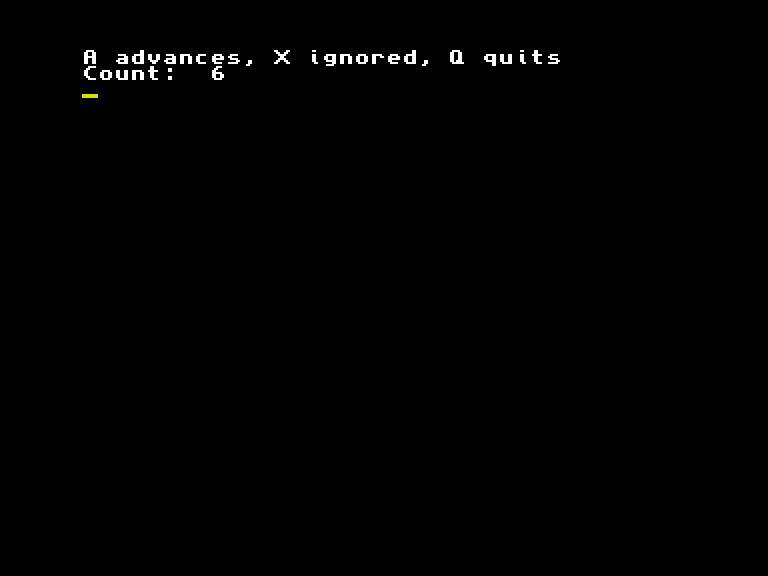
When earlier turns disappear
Deliberately broken caller: this version resets the counter inside Repeat.
Rem AMOS Professional 2.00. Paste routines after End.
Hide
Palette $000,$FFF
Paper 0 : Pen 1
Cls 0
PL_COUNT=0 : PL_STEP=1 : PL_LASTSCAN=-1
Repeat
   Locate 0,0
   Print "A advances, X ignored, Q quits"
   Print "Count: ";PL_COUNT;"     "
   PL_COUNT=0
   Gosub PL_READ_FRESH
   Gosub PL_ADVANCE
Until PL_KEY$="Q"
Show
End

Rem Globals: PL_COUNT and PL_STEP are integers from 0 to 255.
Rem PL_KEY$ is supplied by the caller; PL_ACCEPTED is the result.
Rem Only A advances; Q and other characters leave state unchanged.
PL_ADVANCE:
PL_ACCEPTED=0
If PL_KEY$="A"
   PL_COUNT=PL_COUNT+PL_STEP
   If PL_COUNT>=256
      PL_COUNT=PL_COUNT-256
   End If
   PL_ACCEPTED=1
End If
Return

Rem Initialise PL_LASTSCAN=-1 once; retain it across calls.
Rem Returns PL_KEY$ and updates PL_LASTSCAN; blocks until a fresh key.
PL_READ_FRESH:
If PL_LASTSCAN>=0
   Repeat
      Wait Vbl
   Until Key State(PL_LASTSCAN)=0
End If
Clear Key
Repeat
   PL_KEY$=Upper$(Inkey$)
   Wait Vbl
Until PL_KEY$<>""
PL_LASTSCAN=Scancode
Return
A then A shows 1 then 1, instead of 1 then 2. The previous value was discarded before the next command. An ignored X can also expose the reset by showing 0. The input reader and addition are doing their jobs; the initialisation is in the wrong place.
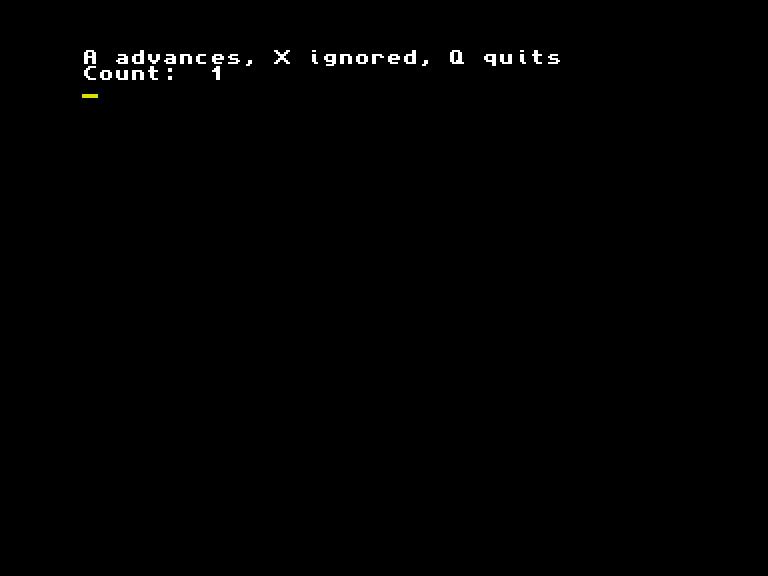
Restore the working caller, leaving the routines alone. Check A, X, A again: 0 → 1 → 1 → 2. Both the faulty caller and that repaired path were executed; the pictures are native emulator captures.
Costs and limits
The state update costs one command comparison, then for A an addition, a range comparison and sometimes a subtraction. Those are operations, not measured CPU cycles. Screen/console work, strings and the resident interpreter or compiled runtime dominate the tiny state group. Source bytes do not measure executable size or total memory use.
This is useful when the world can wait for the player. For continuous movement, a deadline or presentation that continues during a decision, compare the loop choices and the Amiga assembly loop. The implementation must fit the services and hardware it owns.
What was checked
Native execution uses released Emu198x 0.44.1 on a stock PAL A1200 profile: 2 MiB chip RAM, no fast RAM, and the recorded Kickstart 3.1 identity. It qualifies this runtime and workload, not original hardware, an A500, NTSC, another ROM or another BASIC dialect. The fixture disk was present from boot; this is not a hot-swap qualification.
The retained source and execution record includes initial, accepted, ignored, repeated, wrapping, nonzero, custom, faulty and repaired cases. Counters and visible output were checked alongside actual keyboard input; transport completion alone is not a pass.
The original AMOS keyboard chapter explains the buffer and scan-code operations, and control structures explains the calls and returns.