LET, and What You May Name
Store a value in a named box with LET, use it, and change it — then meet the Spectrum's own rule: numeric names can be long, but a text variable must be a single letter plus a dollar sign. See name$ fail, and learn why.
You met the idea of a variable in General Programming — a named box that remembers a
value. In Sinclair BASIC the keyword is LET, and the Spectrum has its own rule about
what you may call a box. That rule trips nearly everyone once; we’ll trip it on
purpose so it never surprises you.
Milestone 1 — store a value, then use it
  10 LET score = 100
  20 LET n$ = "Sam"
  30 PRINT n$; " scored "; score
LET score = 100 puts 100 in a box named score. LET n$ = "Sam" puts the text
Sam in a box named n$. Line 30 reads both back. RUN it: Sam scored 100.
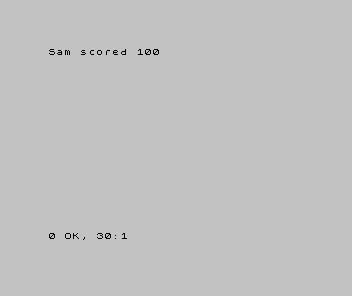
The = in LET stores: “put this value in the box.” It isn’t asking whether two
things are equal — that’s a different job, for Unit 6.
Milestone 2 — change what’s in the box
A box remembers until you change it. Add two lines that update score:
| 1 | 1 | 10 LET score = 100 | |
| 2 | 2 | 20 LET n$ = "Sam" | |
| 3 | 3 | 30 PRINT n$; " scored "; score | |
| 4 | + | 40 LET score = score + 50 | |
| 5 | + | 50 PRINT n$; " now has "; score | |
| 4 | 6 | |
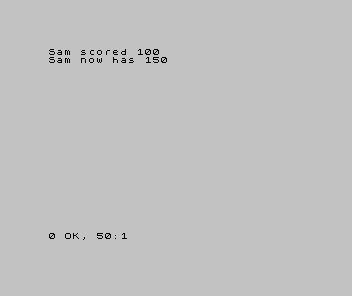
LET score = score + 50 reads the box, adds 50, and puts the result back in the same
box. Run it: score goes from 100 to 150.
Milestone 3 — the naming rule, shown failing
Here’s the rule. Numeric names can be long — score, lives, hits are all fine.
But a text variable must be a single letter plus $ — n$, a$, x$. A longer
text name like name$ is not allowed. Watch what happens when you try:
  10 LET name$ = "Sam"
  20 PRINT name$
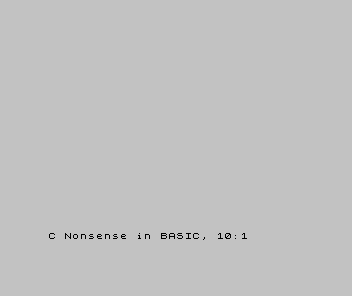
That report is worth understanding. The Spectrum read name as a numeric variable
name — long numeric names are fine — and then hit the $, which makes no sense stuck on
the end of a number’s name. So it stops with Nonsense in BASIC. The fix is to make the
text box a single letter: n$, not name$. (Other home computers have their own rules
— a C64 keeps only the first two letters of any name — which is the point: the idea of
a named box is universal, but the naming rules are local.)
When it doesn’t work
Nonsense in BASICon aLETline. Usually a text variable with a long name. Shorten it to a single letter plus$—n$.Variable not found. You read a box you never stored into — often a typo, so the name you read doesn’t match the name you set. Check the spelling on both lines.- A name did nothing useful. You may have used a BASIC keyword as a name. Keywords are reserved; pick a plain word the Spectrum doesn’t already own.
Before and after
You started knowing what a variable is and finished writing them in Sinclair BASIC —
storing, using, and changing a box — and you met the rule that catches everyone: text
names are a single letter plus $. The idea underneath: LET stores a value in a
named box; numeric names can be long, text names cannot.
Try this
- A second number. Add
LET lives = 3and print it beside the score. - Fix the broken one. Change
name$ton$in Step 3 and run it — the same program works the moment the name is legal. - Change twice. Add 50 to
scorea second time. Predict the total before you run it.
What you’ve learnt
LETstores a value in a named box; the=means “store”, not “is equal to”.- Numeric names can be long (
score); text names must be a single letter plus$(n$). LET score = score + 50reads a box and stores a new value back in it.- A too-long text name stops with
Nonsense in BASIC— the Spectrum read the word as a number’s name, then the$made no sense.
What’s next
Your boxes hold values you typed into the program. In Unit 5 the player fills them:
INPUT reads what someone types at the keyboard into a variable — the first time the
program waits for you.