IF / THEN, the Spectrum Way
Make the program decide. IF ... THEN acts only when a condition holds — and Sinclair BASIC has operators of its own: <> for not-equal, AND and OR that are logical not bitwise, and no ELSE, so you write a second IF.
A decision lets a program take one path or another. You met the idea in General
Programming; in Sinclair BASIC it’s IF … THEN, and there are a few local rules
worth knowing before they catch you.
Milestone 1 — a condition that holds
  10 LET secret = 7
  20 LET g = 7
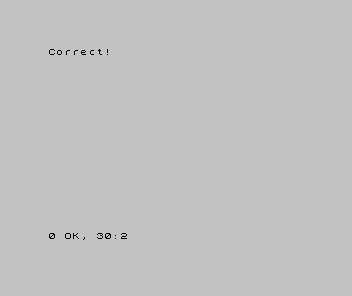
  30 IF g = secret THEN PRINT "Correct!"
IF g = secret THEN PRINT "Correct!" checks whether g equals secret. It does — both
are 7 — so the THEN runs. The = here asks a question (“are these equal?”), unlike
the = in LET, which stores.
Milestone 2 — three ways, and no ELSE
Sinclair BASIC has no ELSE. To handle more than one outcome, you write more than
one IF. Set the guess lower than the secret and test all three cases:
| 1 | 1 | 10 LET secret = 7 | |
| 2 | - | 20 LET g = 7 | |
| 2 | + | 20 LET g = 4 | |
| 3 | 3 | 30 IF g = secret THEN PRINT "Correct!" | |
| 4 | + | 40 IF g < secret THEN PRINT "Too low" | |
| 5 | + | 50 IF g > secret THEN PRINT "Too high" | |
| 4 | 6 | |
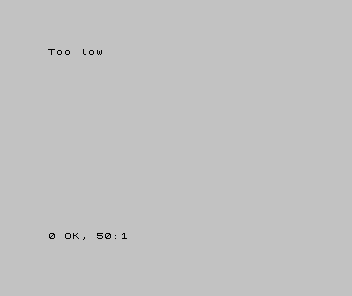
With g of 4 and a secret of 7, only the < line is true, so Too low prints. The
operator for “less than” is <, “greater than” is >. (The one to remember: not-equal
is <>, not !=.) Each IF is tested in turn; the ones that don’t hold are skipped.
Milestone 3 — combine conditions with AND and OR
AND and OR join conditions. In Sinclair BASIC they are logical — they ask
true-or-false questions about whole conditions, not about the bits inside a number:
  10 LET n = 15
  20 IF n >= 1 AND n <= 10 THEN PRINT n; " is in range"
  30 IF n < 1 OR n > 10 THEN PRINT n; " is out of range"
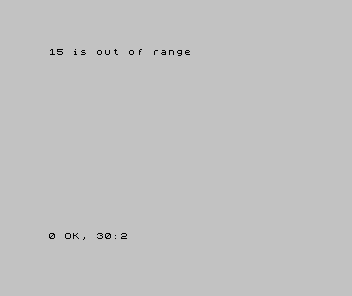
n >= 1 AND n <= 10 is true only when both halves hold; n < 1 OR n > 10 is true when
either does. With n of 15, the OR line wins: 15 is out of range. (>= and <=
are “at least” and “at most”.)
When it doesn’t work
!=gaveNonsense in BASIC. Sinclair BASIC writes not-equal as<>.- Two outcomes both printed. You wanted one or the other but wrote conditions that
can both be true. With no
ELSE, make sure yourIFs don’t overlap. THENdid nothing. Whatever followsTHENis the action — aPRINT, aLET, aGO TO. A bare condition with nothing afterTHENhas nothing to do.
Before and after
You started able to store and read values and finished making the program choose:
act on a condition, handle three outcomes with three IFs, and combine tests with AND
and OR. The idea underneath: IF … THEN runs its action only when the condition
holds; <> is not-equal; there is no ELSE, so more outcomes mean more IFs.
Try this
- Flip the result. Change the guess to 9 and predict which line prints before you run it.
- A both-ends check. Print “just right” only when a number is
>= 5 AND <= 7. - Equal or over. Use
>=to print “you passed” when a score is at least 50.
What you’ve learnt
IF condition THEN actionruns the action only when the condition holds.- Operators:
=,<,>,<=,>=, and<>for not-equal. AND/ORare logical — they combine whole conditions.- There is no
ELSE— write a separateIFfor each outcome.
What’s next
Your programs make single decisions now. In Unit 7 they start to repeat:
FOR … NEXT runs a block a set number of times, counting as it goes — without you
copying a line over and over.