Keeping Your Work
A program you can't keep isn't yours yet. SAVE stores your program so it survives the machine switching off; LOAD brings it back. On a real Spectrum that's tape; in an emulator it's a file — but the words are the same.
You’ve built a title card worth keeping. But switch the Spectrum off and it’s gone — the
program lives in memory, and memory clears at the power switch. Two keywords fix that:
SAVE writes your program somewhere lasting, and LOAD reads it back.
The program worth keeping
  10 BORDER 1
  20 PAPER 1
  30 INK 6
  40 CLS
  50 PRINT AT 8, 11; "MEET BASIC"
  60 PRINT AT 10, 7; "a Spectrum primer"
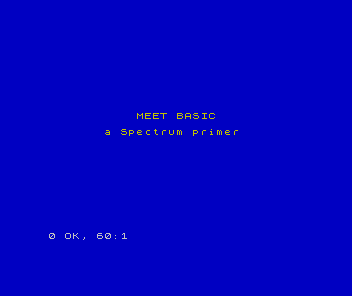
SAVE and LOAD
To keep it, give it a name and save it:
SAVE "title"The whole program — every line — is written out under the name title. Switch off, come
back later, and bring it home with:
LOAD "title"LOAD reads the program back into memory exactly as it was. Type RUN and it’s running
again, without retyping a line. (SAVE and LOAD are keywords like any other — on the
Spectrum, single keypresses in command mode.)
Tape, then and now
On a real 1982 Spectrum, “somewhere lasting” meant a cassette tape. SAVE sent the
program out as sound — a screech you could hear — onto an ordinary audio cassette, and
LOAD read that sound back, stripes rippling across the border while it loaded. It was
slow, and not always reliable; a crease in the tape could cost you the lot.
In an emulator there’s no cassette: SAVE writes a file, LOAD reads it, and it’s
instant. The keywords are identical — you’re learning the real thing — but you’re spared
the wait and the wow-and-flutter. When you save your title card and load it back, you’re
doing exactly what a Spectrum owner did in 1982, minus the screech.
When it doesn’t work
LOADfound nothing. The name must match what you saved.LOAD "title"won’t find a program saved asgame.- It saved the program, but not the screen.
SAVE "name"saves the program, not the picture it draws. Run it after loading to see the title card again. - Nothing happened on real tape. Saving and loading from a cassette needs the tape running at the right moment. The emulator removes that dance.
Before and after
You started with a program that vanished at the power switch and finished able to keep
it — saved under a name, loaded back whole. The idea underneath: SAVE "name" stores
your program so it outlives the machine being switched off; LOAD "name" brings it back.
Try this
- Save and reload. Save the title card, reset the machine, load it back, and
RUNit. - Two versions. Save it once, change a colour, and save it under a second name. Now you have both.
- Name it well. A program you’ll want next week deserves a name you’ll recognise.
What you’ve learnt
- Memory clears when the machine is switched off;
SAVEandLOADkeep your work. SAVE "name"stores the program;LOAD "name"reads it back, ready toRUN.- On real hardware it’s tape (slow, audible); in an emulator it’s an instant file — same keywords either way.
SAVEkeeps the program, not the picture; run it to see the result again.
What’s next
You can write, run, colour, sound, animate, and save a Sinclair BASIC program. One skill left — the one that separates getting it done from getting stuck. In Unit 15 we learn to read the report line and find out why a program is wrong.