
The 8563 Video Display Controller, or VDC, gives the Commodore 128 its separate 80-column display. It has video memory of its own. Writing a byte into ordinary C128 RAM does not automatically place it on this screen: the processor has to transfer information through the VDC’s interface.
That is a different arrangement from the VIC-II family’s access to the computer’s shared memory. The C128 contains both display systems, with different outputs and programming models. (Commodore, System Guide; Programmer’s Reference Guide, chapter 10.)
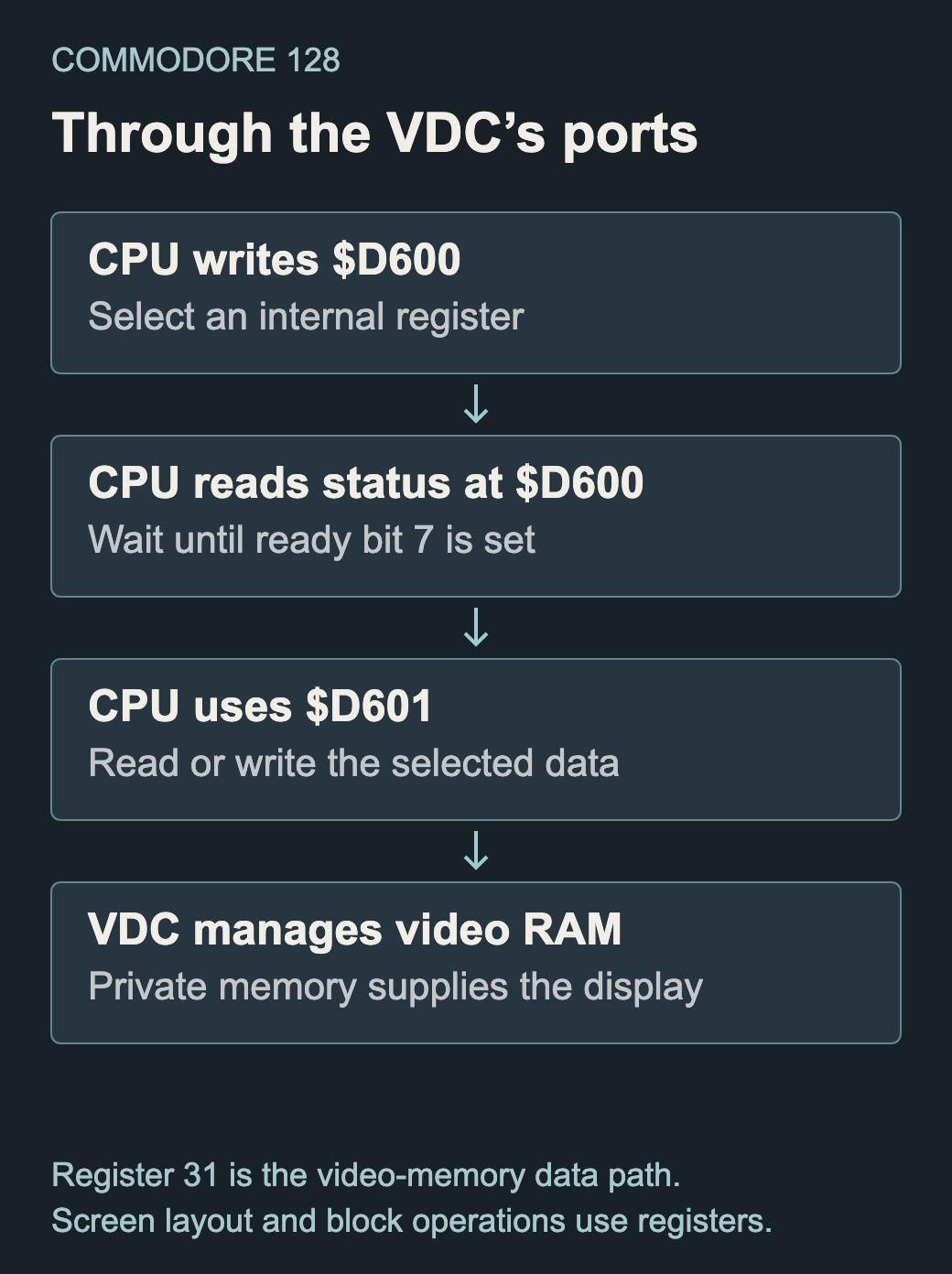
Select, wait, transfer
The processor selects an internal register by writing its number to $D600. It checks bit 7 at that address until the VDC reports ready, then reads or writes data through $D601. The address register and data register are the visible doorway to a larger set of internal controls.
The ready check is part of the protocol. Commodore’s examples wait in a loop; they do not assume that an arbitrary fixed delay is always sufficient. A program that updates the display must preserve that handshake even when it has much more work to send. (Programmer’s Reference Guide, pp. 304–311.)
More than character numbers
Screen codes, character definitions and attributes occupy areas of VDC memory. Attributes can change a character’s appearance without replacing its dot pattern. Register settings choose the relevant start addresses and layout. The CPU therefore needs to understand both the character representation and where the VDC expects its tables.
The original C128 arrangement documented in the guide has 16KB of video RAM. That describes the installed memory in that system, rather than a rule that every later C128-family board or display controller has exactly the same capacity. Software using a larger area must establish the actual configuration.
Moving blocks inside the display
The VDC can fill a block with a value or copy a block within its memory. Software sets addresses, control and length through registers, then lets the controller perform the operation. That can reduce the CPU traffic needed to clear or rearrange a display. It does not make the setup or completion protocol disappear. (Chapter 10, “Block Write and Block Copy”.)
An 80-column text screen is thus a useful introduction to a broader distinction: a display’s logical contents, the memory holding them and the CPU’s way of reaching that memory are separate things. The C128’s two video systems make those differences visible within one computer.
Sources
- Commodore, Commodore 128 Programmer’s Reference Guide, Bantam, February 1986, chapter 10, pp. 292–334. Original guide.
- Commodore, Commodore 128 System Guide, 1985: outputs and modes. Original guide. Both sources are manufacturer publications; they provide complementary coverage, not independent authorship.