Skip to content

Welcome from CRASH! Live 2026

Make a game for your Spectrum.

Free lessons in Sinclair BASIC and Z80 assembly. Start from scratch, or pick up where you left off. Build a game, understand how it works, then make it your own.

PLATFORM
ZX Spectrum
GAMES LIVE
16
UNITS LIVE
238
VAULT
1,485 entries
LAUNCH
October 2026
Try your first assembly lesson

Run real Z80 code in your browser. No installation needed.

Got a card? Find its subject:

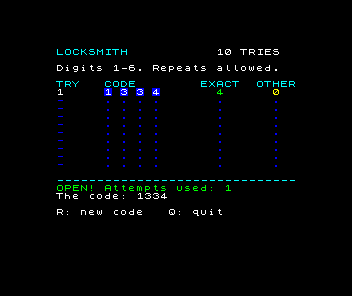
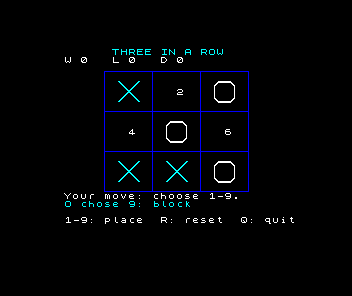
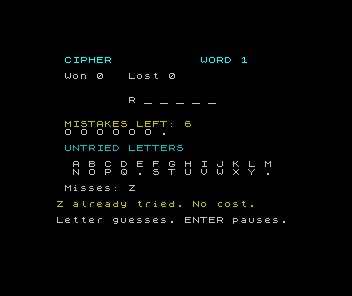
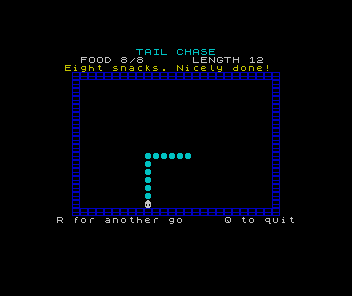
From your first instruction to Meteor Storm

Start here · eight interactive lessons

Meet Assembly

Change the border, draw a character and make it move. Edit real Z80 code in your browser, predict what will happen, then inspect the registers and memory to find out why.

No installation or previous BASIC course needed.

Try the first lesson
A ship flying through meteors in Meteor Storm on the ZX Spectrum
Next · 36 interactive lessons

Meteor Storm

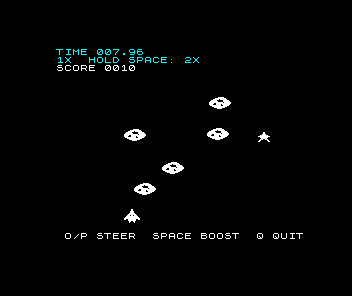
Dodge the meteors, collect stars and race the clock. Build the game from a single pixel to moving objects, collisions, scoring and a finished tape you can keep.

Every lesson includes runnable source and a browser experiment. Change the program and inspect what the Spectrum actually does.

Play and build Meteor Storm

Got a card? Start here.

Here are the Spectrum BASIC listings from the cards, ready to copy or download. Type them on the original machine or in an emulator, then enter RUN.

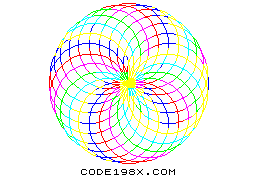
Overlapping coloured circles forming a ring on a white Spectrum screen
ZX Spectrum · BASIC

Seven lines. One screen.

Twenty-four circles share six colours. Try changing the final 40 on line 40 to change their radius.

Download BASIC listing
Read and copy the listing
typein-rosette.bas
  10 BORDER 7: PAPER 7: BRIGHT 1: INK 0: POKE 23624,120: CLS
  20 FOR a=0 TO 23
  30 INK 1+a-6*INT (a/6)
  40 CIRCLE 128+40*COS (a*PI/12),92+40*SIN (a*PI/12),40
  50 NEXT a
  60 INK 0: PRINT AT 21,10;"CODE198X.COM"
  70 PAUSE 0

Find your next project →

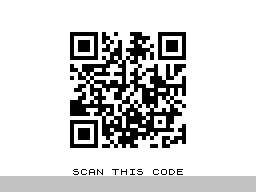
Actual Spectrum output: a QR code linking to this event page above SCAN THIS CODE
ZX Spectrum · BASIC

Time travel in motion.

Type this in 1982. Scan it in 2026. Each DATA number holds one row of a prepared QR pattern; the program draws it with black squares. Enter all 19 lines, then RUN and let it finish drawing before scanning.

Download BASIC listing
Read and copy the listing
typein-qr.bas
10 BORDER 7: PAPER 7: INK 0: BRIGHT 1: CLS
20 FOR y=0 TO 28: READ n
30 FOR x=28 TO 0 STEP -1
40 LET b=n-2*INT (n/2): LET n=INT (n/2)
50 IF b=0 THEN GO TO 80
60 FOR p=0 TO 3
70 PLOT 70+4*x,143-4*y-p: DRAW 3,0: NEXT p
80 NEXT x: NEXT y
90 PRINT AT 21,9;"SCAN THIS CODE": PAUSE 0
100 DATA 533870719,274210369,391459933
110 DATA 390666589,391872093,273104193
120 DATA 534074751,962560,335120535
130 DATA 462459798,91993236,377526745
140 DATA 24556001,111140095,216635285
150 DATA 44246773,108218280,480302998
160 DATA 536685193,506818860,527227902
170 DATA 1277208,534084440,274681617
180 DATA 391902203,391954049,390722871
190 DATA 273014829,534426032

Find your next project →

A ZX Spectrum typing this page's welcome

Press play: a 48K types this in itself, one keypress per keyword, then runs it. The typing runs at four times speed; the colour cycle afterwards is its real rhythm.

Why the Spectrum, in 2026?

A short program can put something on the screen that you can see, change and explain. That makes the Spectrum a useful place to learn: its pixels, colours and sound give you something concrete to investigate.

If you remember typing listings from CRASH or Usborne books, you can pick up that curiosity again. If this is your first program, you're welcome too. You don't need to own a Spectrum to begin.